MUSIC MODE
Enter Music mode to play your MP3, WMA, OGG, or WAV audio les.
To enter Music mode, select and conrm MUSIC in the Main menu. Upon entering Music mode,
you will have the following options: Music, Encode, Voice, Playlists, and Search.
Music
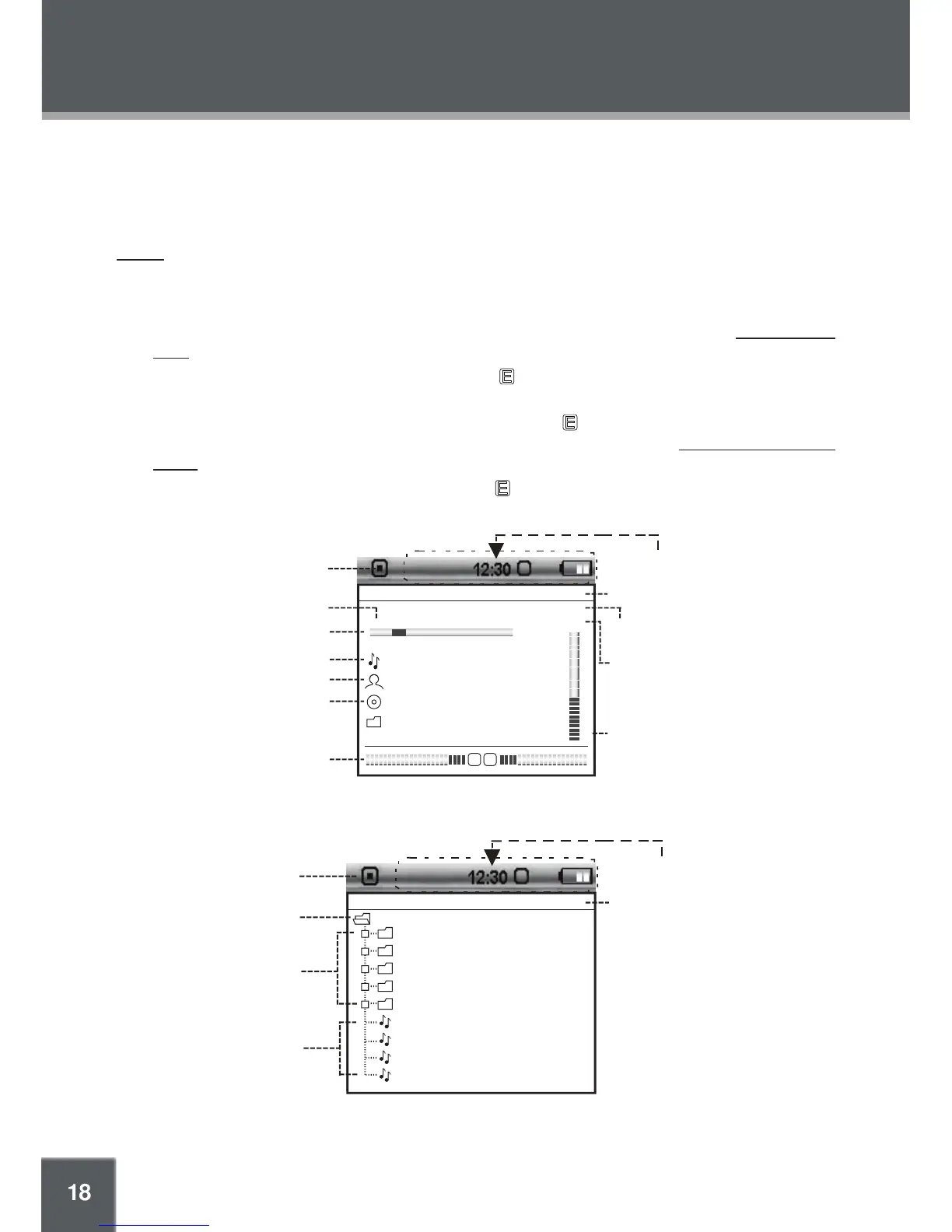
Select and conrm MUSIC in the Music Mode menu to access the File Browser to look for music
les in the ROOT folder of your player.
Use the Navigation keys to select folders and music les to play. Refer to the Basic Opera-
tions section for details.
While a track is playing (Current Track), touch to return to the File Browser. The currently
playing track will continue to play.
With a le selected in the File Browser, touch and hold to display a context menu with the
following advanced functions: Favorite (+/-), Info, and Exit. Refer to the Advanced Functions:
Music section for details.
While a music track is playing, touch and hold to display a context menu with the following
advanced functions: Favorite (+/-), EQ, Play Speed, Info, and Exit.
•
•
•
•



 To Next Page