Transferring Files to the Player
Connecting to a Computer
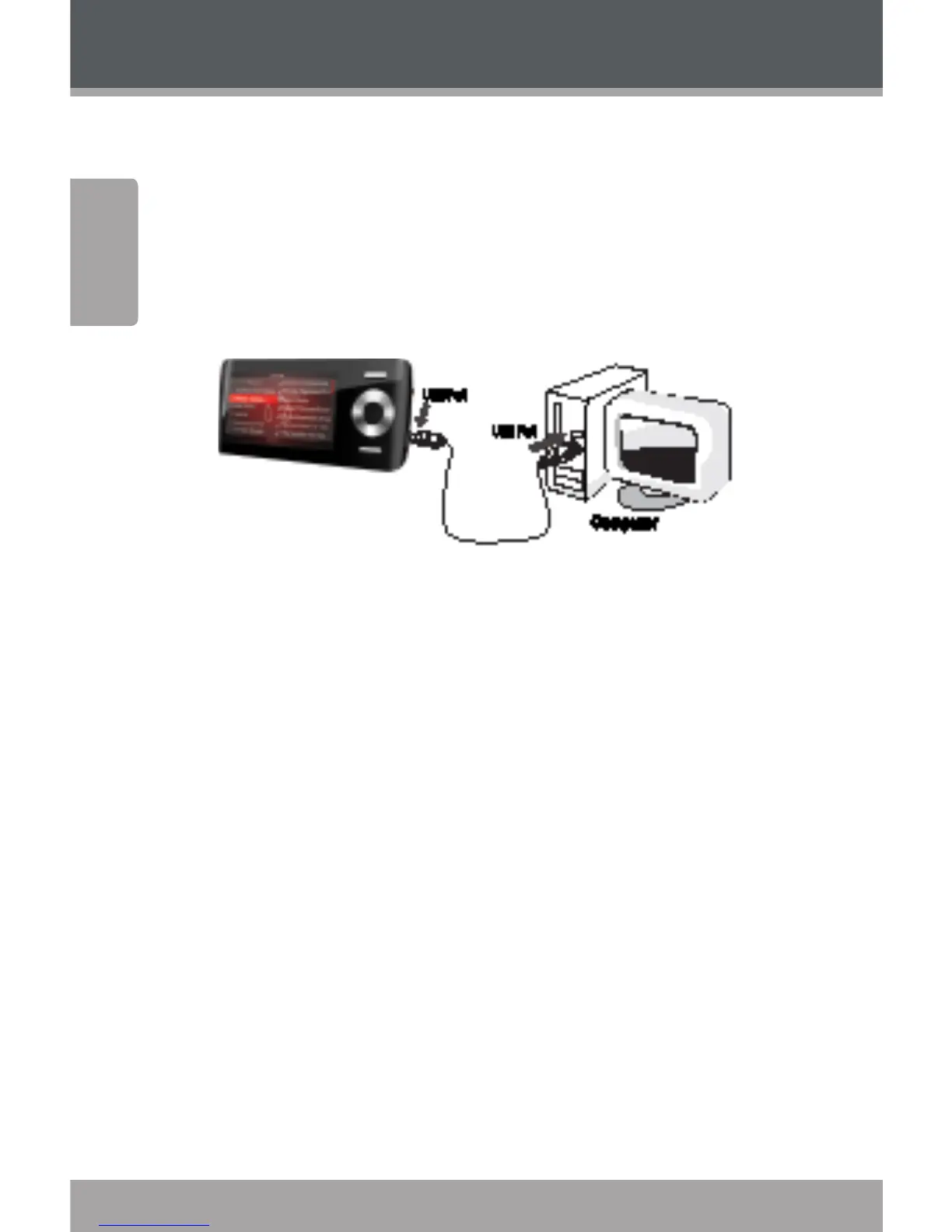
Connect the Coby player to a computer with the USB .
cable provided to:
Transfer les to and from your player.
Perform basic le management functions.
Upon connection:
Your computer will automatically recognize the player
as an MTP Device (if possible). An icon representing
your player will appear under “Audio Devices” when
you open “My Computer”.
It may take Windows several minutes to recognize
and set up the device the rst time it is connected
depending on your hardware conguration. If you
need further assistance with transferring les, please
refer to your operating system’s instruction manual or
on-screen help.
Transferring Files
The USB . Hi-Speed connection makes it easy to transfer
music, video, photo, and text les (or any other data) quickly
between the player and your computer. Simply use the


 To Next Page