EasyManua.ls Logo

Coby MPC983 - Audio Transfer

Coby MPC983
9 pages
Print Icon
To Next Page IconTo Next Page
To Previous Page IconTo Previous Page
Loading...
~This guide will cover how to transfer your music CD’s into your COBY
MP3 player using Windows Media Player 11.
~This guide will also provide common troubleshooting solutions for you
r
COBY MP3 player.
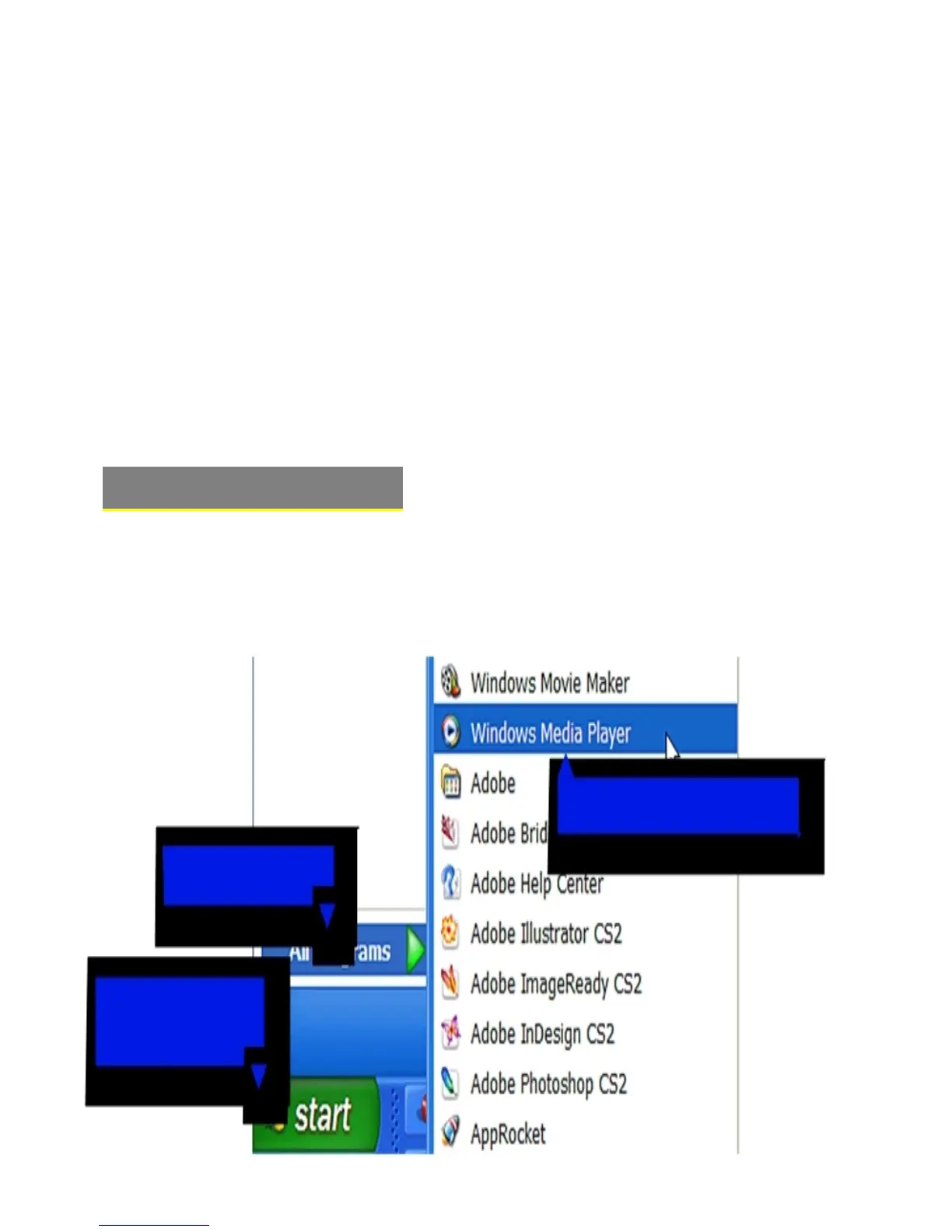
1b. Click
All Programs
1a. Click
“Start
Menu”
button
1c. Click on
Windows Media Player”
1) Launch the WMP11 program.
Windows Media
Player 11 (WMP11)
The directions in this guide are given for Windows Media Player 11 (WMP11)
If your computer does not have Windows Media Player installed, please
download the latest version of Windows Media Player (WMP) from Microsoft’s
website
www.microsoft.com/windows/windowsmedia/player/download/download.aspx

Related product manuals