19
PMP4320 Display
Main Menu
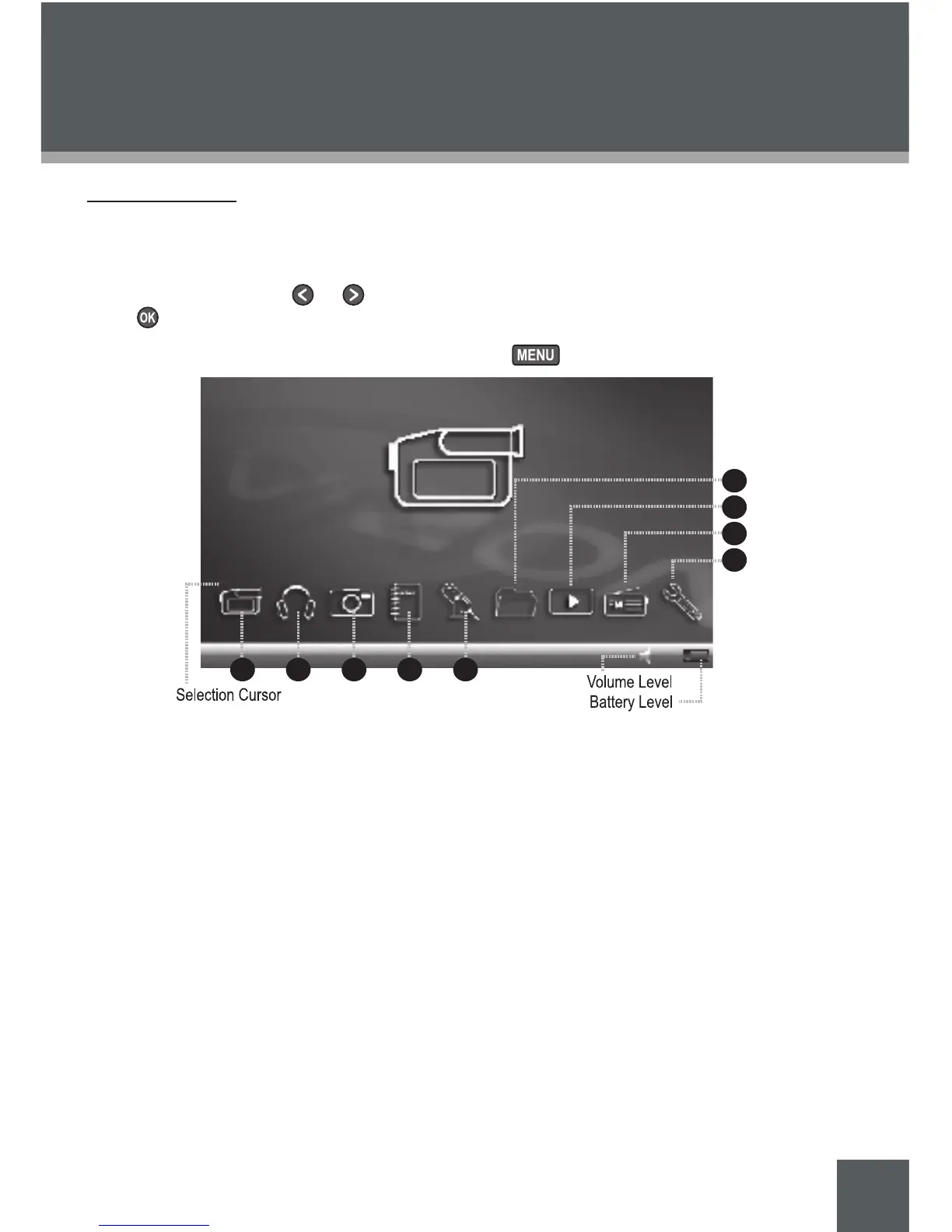
The Main Menu gives you access to the different function modes of your PMP.
To select a mode, press or to highlight the mode with the Selection Cursor and then
press .
To return to the Main Menu Desktop, press and hold .
Video
Watch your digital video les
(AVI, MPEG-1, -2, and -4, and XviD).
Music
Play your digital music files (MP3, WMA).
Record through the microphone.
Photo
View your digital picture les (JPG).
E-Book
Read your electronic text les (TXT)
Record
Record audio, video, or voice.
1.
2.
3.
4.
5.
Explorer
View and organize your media library.
Resume
Resume playback of the last le played.
FM Radio
Listen to FM Radio broadcasts.
Setup
Change the internal settings of your PMP.
6.
7.
8.
9.
GETTING STARTED



 To Next Page