35
RADIO MODE
Listening to FM Radio Broadcasts
To listen to the radio:
Select and conrm RADIO from the Main Menu Desktop.
Earphones (or headphones) must be connected to the PMP’s Headphone
jack for Radio operation for use as an antenna.
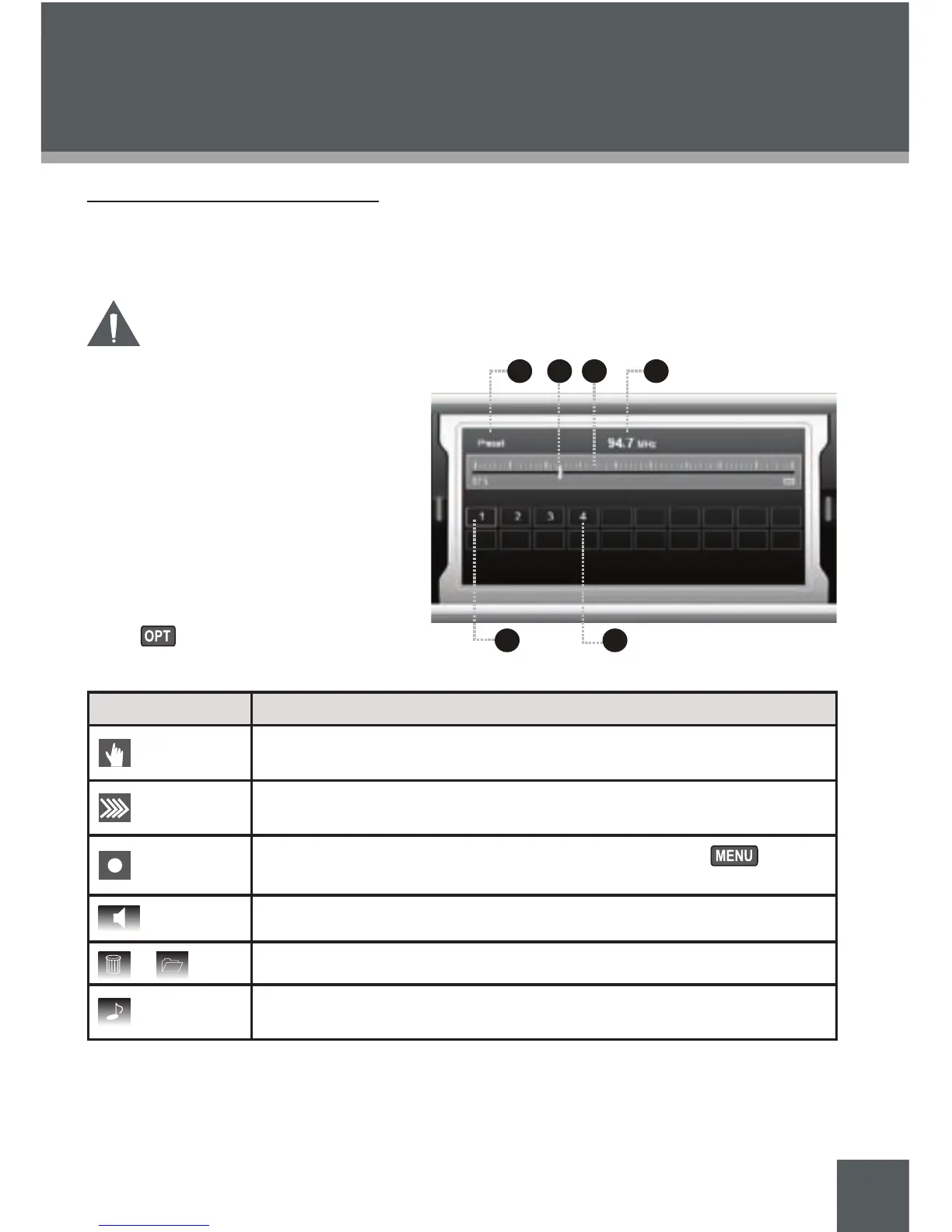
Radio Screen Display
Tuning Mode (Preset or Scan)
Frequency Pointer
Frequency Bar
Current Frequency
Current Preset Station
Available Preset Stations
Radio Mode Context Options
Press to view the following option
bar items.
Item Function
Toggle between Preset or Scan (manual) tuning modes. (The scan
mode icon looks like an eye.)
Auto Search function scans and automatically stores all available FM
broadcasts to Preset stations.
Record the current FM broadcast in MP3 format. Press to stop
and save the recording.
Toggle between headphone audio output and speaker output.
or
Delete or Save Preset Station
Return to Main Menu Desktop while playing current station in the
background.
1.
1.
2.
3.
4.
5.
6.



 To Next Page