27
LINUS14/14D 4. OPERATION
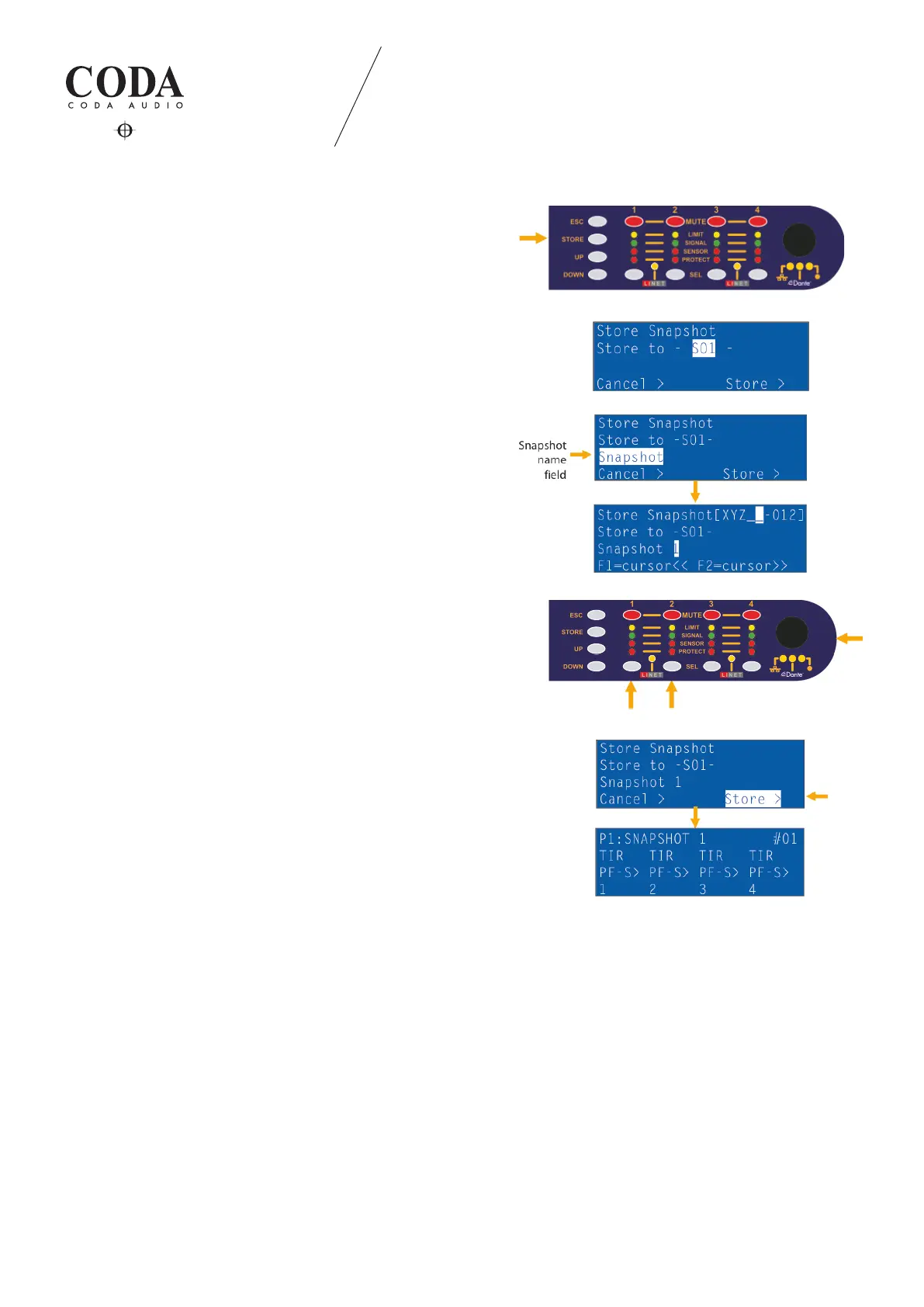
4.1.11 Store snapshot
Store your customised user settings (inclusive tuning parameters)
in the library positions (01) to (10) of the unit.
SNAPSHOT NAME:
Use encoder knob to navigate to the name eld and press it.
Text position cursors are channel selection buttons 1= << and 2= >>
digit selection via encoder knob.
Press encoder knob to conrm.
Use encoder knob to navigate to the store eld and press it.
Dened “SNAPSHOT“ is displayed now in the snapshot library. It
includes all the dened speaker, signal routing and tuning parameters.
4.2 Power amp protection
4.2.1 DC protection
Each output of the power amp is constantly monitored for persistent DC voltage levels. If the 10 V threshold voltage is
exceeded at any of the outputs, the SMPS will be automatically switched o to prevent further damage from overload to
the power amplier and speakers. In this case, the system restarts and tries to readjust the DC parameters. If this does not
succeed after the third run, it switches to a permanent error. A DC issue can be located in the output stage, the driver stage,
or at the input of the amplier.
4.2.2 Overload protection
The output stage is permanently monitored for possible overload situations. There are varying limiting levels of the
look-forward overload protection depending on connected output load. These limits will be set automatically from a load
measurement on each output channel. This improves reliability without degrading sound quality when driving complex
loads.


 To Next Page