System Maintenance (cont.)
9
Deleting
Lost
or
Stolen Remote
Controls
from Your System
If one of your remote controls is lost
or
stolen, follow these instructions IMMEDIATELY
to
remove the
control code from your system.
1.
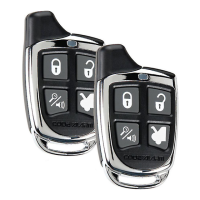
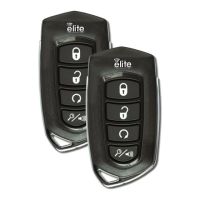
Make sure that you have all remaining remote controls available.
2. Enter the remote control programming mode
by following steps 1 - 5 of
Adding
Remote
Controls to
Your
System (page 7).
3a.
If
you
have only one remaining remote control, press the
ARM
button
on
that remota
control
four
(4) times) pausing
at
least 1 second in between each press. Make sure that the
siren chirps each time
you
press the
ARM
button.
3b.
If
you have two remaining remote controls, press
the
ARM
button
on
each
remote
control
two
(2) times, pausing at least 1 second
In
between each press. Make sure that the
siren chirps 8ach time you press the ARM button.
30.
If
you have
three
remaining remote controls, press the ARM button on the first remote
control
two
(2) times, then press the ARM button on the other two remote controls once.
Pause at least 1 second
In
between each press .
.Make
sure that the siren chirps aach time
you press the ARM button.
4 Turn the vehicle ignition off to exit the programming mode. When
you
are finished, the lost
or
stolen remote control will no longer operate your system.
Programming Selectable Options-
This section explains the process for changing certain operating characteristics of your system.
These,options were set
by
your installer at the time of Installation. These options should not need to
be
changed once installation is complete. Please exercise extreme caution as some of these
options configure the system to interface with-your specific vehicle. Changing these options may
result in faulty operation
or
vehicle damage. See
your
Installer
for
details.
Note: Remote
controls
must
be
'programmed
prior
to
these
steps.
1.
Repeat steps 1·5 of Adding Remote Controls to
Your
System (page 7).
2.
Press and release the emergency override button.
The
horn
or
siren will sound three (3) times. This indicates that
the
unit has entered
the
Option
Bank
One.
3.
Press the ARM button (button
1)
on
a programmed
remote control to'begin option selections. The
siren or horn will sound a number of
times to indicate the number of the option.
4.
Press the DISARM button (button 2) to
turn the option on or off. The vehicle
red
status indicator on the dashboard
indicates whether an option is on or off.
• If
the
selected
option
is ON,
the
indicator
will
light.
•
If
the
selected
option
is
OFF,
the
indicator
will
turn
off.
• The
status
indicator
will
turn
on
or
off
when
an
option
is
changed.
5.
When changes are complete, press and release the emergency override button to select
the Option
Bank
2.
(Siren or hom will sound four (4) times.)
6.
Repeat steps 3 and 4 to change desired options.
7.
Turn ignition OFF to exit programming.
See
Options
Chart on
next
page.



 To Next Page