

EasyManua.ls Logo

CODELOCKS CL5000 - User Manual

CODELOCKS CL5000
12 pages
Print Icon
To Next Page IconTo Next Page
Loading...
1
PROGRAMMING &
OPERATING INSTRUCTIONS
CL5000 AUDIT TRAIL

Other manuals for CODELOCKS CL5000

Question and Answer IconNeed help?

Do you have a question about the CODELOCKS CL5000 and is the answer not in the manual?

Summary

PROGRAMMING & OPERATING INSTRUCTIONS CL5000 AUDIT TRAIL

CODES AND OPERATION

CODES

Explains Master Code, User Codes, and their properties.

OPERATING INSTRUCTIONS

Details Audit Trail, Unlock Time, Key Over-ride, and Code Free Mode.

FACTORY SETTINGS AND OPTIONS

REVERTING TO FACTORY SETTING

Procedure to reset the lock to its original factory state.

REMOTE RELEASE AND BATTERY STATUS

Describes external trigger connections and low battery signals.

CYLINDER MANAGEMENT

CYLINDER REMOVAL AND BYPASS FUNCTIONS

Steps for cylinder replacement and changing key bypass modes.

PROGRAMMING: USER AND ACCESS MANAGEMENT

USER CODE PROGRAMMING

Adding, suspending, restoring, and deleting user codes.

ACCESS TIME AND UNLOCK SETTINGS

Setting unlock times and one-time user codes.

PROGRAMMING: MODES, MASTER CODE, AND STATUS

CODE FREE MODE AND MASTER CODE CHANGES

Managing code-free operation and primary master code.

USER CODE DELETION AND STATUS INDICATION

Erasing user codes and configuring LED status indicators.

AUDIT TRAIL AND SYSTEM CONFIGURATION

ACTIVATE AUDIT TRAIL FUNCTION

Enables logging of lock activity via USB.

SET DATE, TIME, DOOR ID, AND ACTIVE PERIODS (PROGRAMS 16 & 17)

Configures lock clock, identifier, and user access time windows.

PROGRAMMING: WEEKEND LOCK OUT AND USB OPERATIONS

WEEKEND LOCK OUT (PROGRAM 18)

Restricts access for all users during weekends.

USB DATA MANAGEMENT (PROGRAM 19)

Downloads audit data and uploads settings via USB.
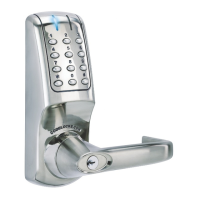
CODELOCKS CL5000 Specifications

General IconGeneral
BrandCODELOCKS
ModelCL5000
CategoryClock
LanguageEnglish