4
2 Printer Setup
G500 Series
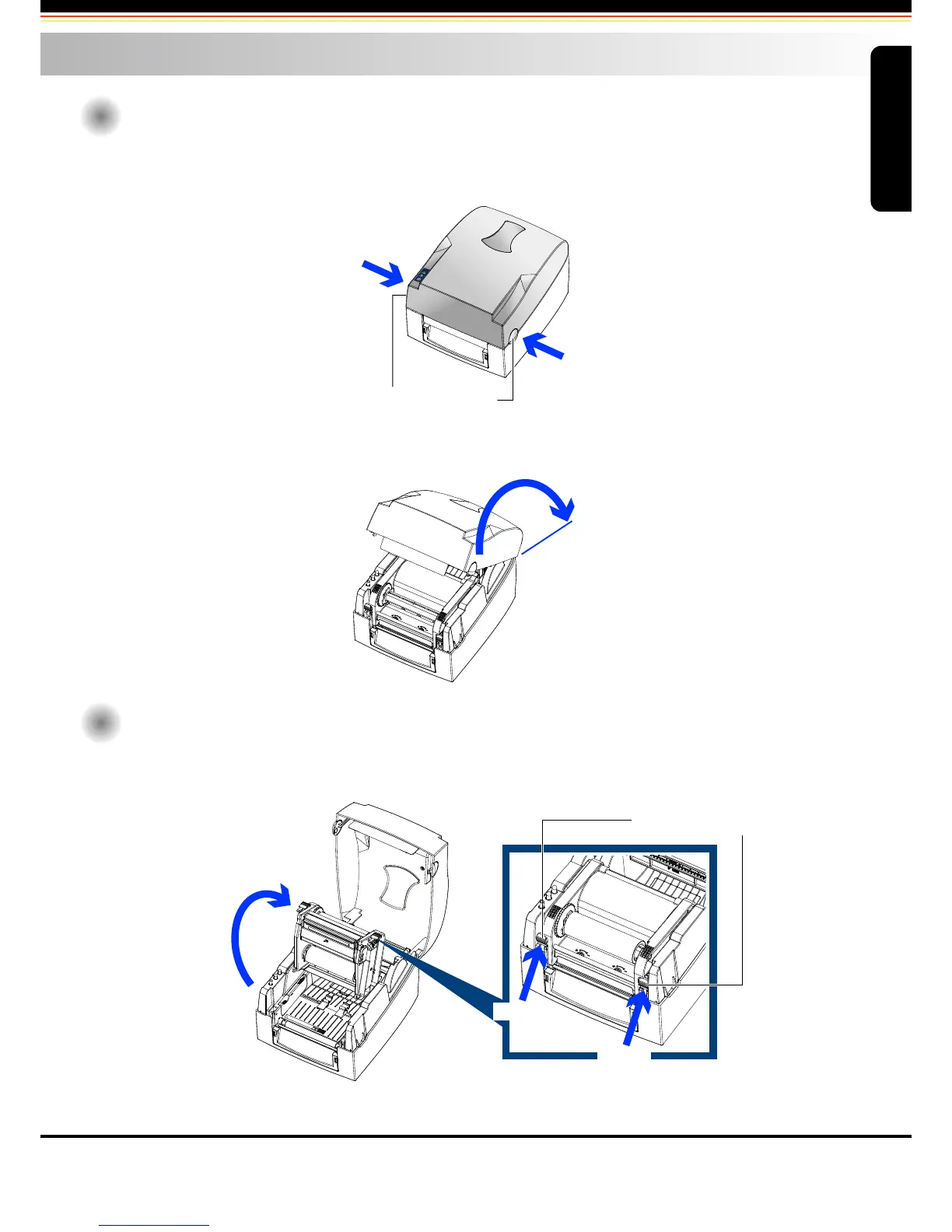
Open The Printer Cover
Pressing The Cover Open Buttons
Place the printer on a flat surface. Open the printer cover by pressing the release buttons on both sides of the
printer housing and lift the cover.
Open The Printing Mechanism
Pressing The Release Catches
Release and lift the printing mechanism.
2-1
Pressing the button
COVER OPEN BUTTONS
Release buttons for opening the printer cover.
Pressing the button
Lift the printer cover backward
Lift the printing mechanism
Pressing
Pressing
RELEASE CATCHES
2-2
Printer Setup



 To Next Page