Pag. 12
•
Step 4 - TYPE - Projectors type setting
* SETUP/1 *
SETUP2 ----- -----
JOY ASSIGN [TYPE]
Figure 20
[N:1 ]Name:Type 01
ChPrj:1 ChMS96:--
Shutter Value:---
Interpolation:---
Figure 21
Selecting [TYPE] a new menu (Fig. 21) will show you the type of projector to be configurated. You can configure up to 10
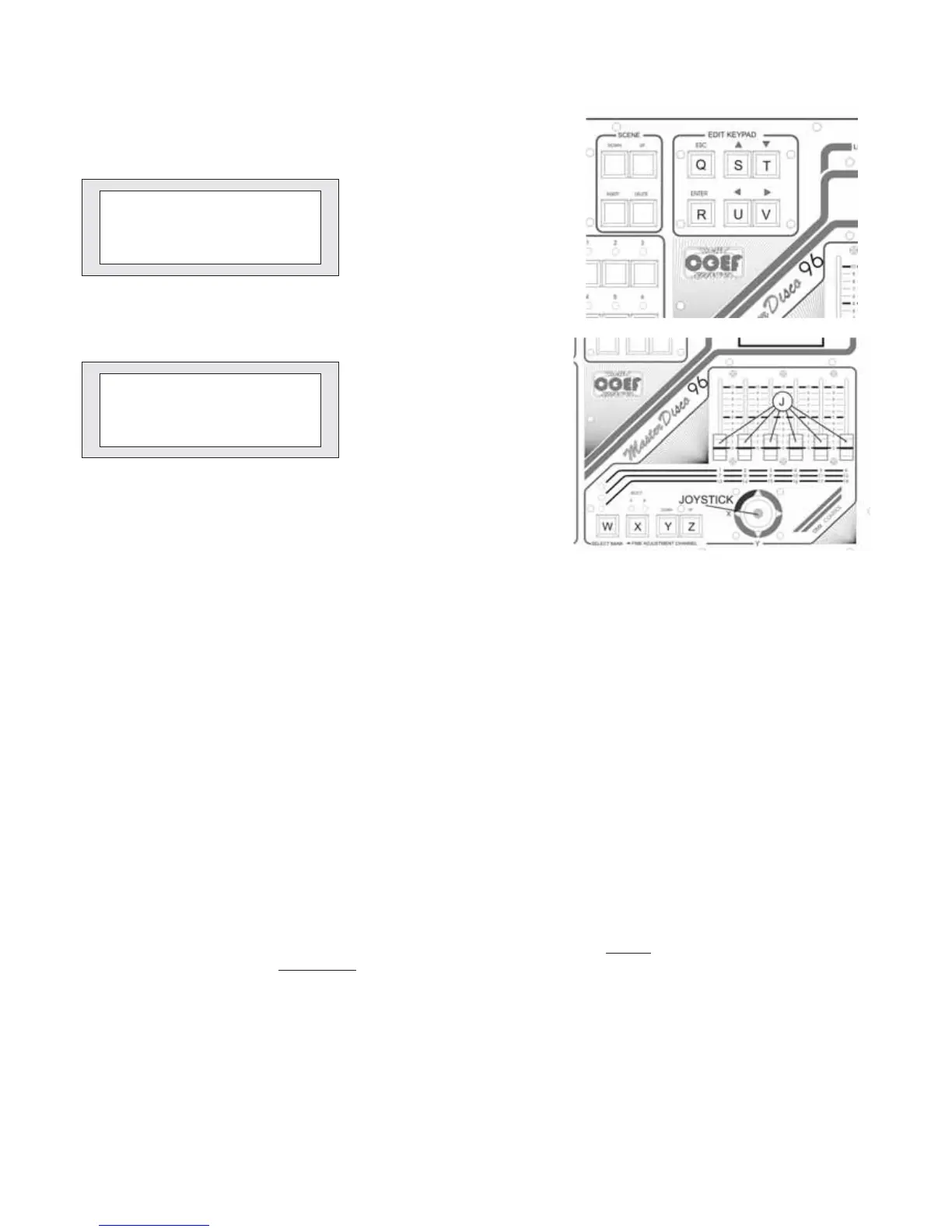
types of different projectors; this choice is possible by means of S e T button.
Once selected the number of the configutating projector, by means of the U and V push-buttons you choose what is to
change in the configuration:
[Name:Type xx]
[ChPrj:x]
[ChMS96]
[Interpolation:XX]
[ShutterValue:---]
“Name:Type xxx” : you have 8 letters available to name the projector. Select the letter to be modified by means of S e T
buttons and modify it by means of Y e Z (Down & UP digital channels section).
”ChPrj: (value)”: you set the channel number of the selected projector. You can control projectors up to 20 channels. Se-
lect the number of the channel by means of the S e T push-buttons.
”ChMS96: (--- / value)”: you set the number of the channel (slider / joystick) of the console controlling the X channel of the
selected projector.Select the number of the channel by means of the S e T push-buttons.
“Interpolation: (YES/ NO)”: it means that each channel can be setted either Direct
(quick change of the digital values
from one scene to the other) or Intepolated
(the values range between one scene and the other will be executed regulated by
the CROSS time).
“Shutter Value : (---/value)”: 0-255 digital value. Corresponding to the closed shutter or to the lamp switching off. Select
the digital value by means of the S e T push-buttons.
Continue up to the total configuration of all channels for each type of projector. Press the push-button ESC when the confi-
guration of all type of projector is done.Then return to the previous menu.
= Name for the projector
= Channel of the projector in edit
= Channel assigned to Master Disco 96
= Channel interpolation or not
= Digital value of the closed shutter for the selected channel


 To Next Page