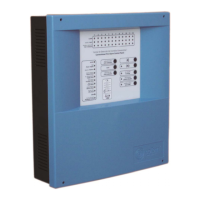
Digital fire detection control panel
COMPACT LYON
24
FIRE PRETECTION MANUFACTURER
Ctra. de Molins de Rei a Rubí, Km. 8,4 - 08191 RUBÍ (Barcelona) ESPAÑA.
Tlf.: +34 935 862 690 - Fax:+34 936 999 261 - cofem@cofem.com - www.cofem.com
A control panel in the network can perform the same functions as any normal control panel. You can
also perform the following functions on the rest of the control panels of the network:
Reset alarms and faults in the network control panels.
Reset all the network control panels.
Enable or disable without delay mode in all network control panels.
Enable or disable sirens stop in all network control panels.
Enable or disable the evacuation in all network control panels.
Enable or disable manual mode in all network control panels.
Disable the buzzer in all network control panels.
1.5.5.3- Control panels network menu
In the control panels we can find the next specific control panels network menus:
VISUALIZE CONTROL PANELS: Visualize the set control panels.
RESET CONTROL PANEL NETWORK: Reset all the control panels in the network.
SPECIAL FUNCTIONS:
WITHOUT DELAY: Enable or disable all the delays of all the relays associated with all
network control panels.
OFF SIRENS: Enable or disable all the sirens stop associated with all network control
panels.
EVACUATION: Enable or disable all the relays associated with all network control panels.
MANUAL MODE: Enable or disable manual mode in all network control panels.
SETUP CONTROL PANEL NUMBER:
ENTER CONTROL PANEL NUMBER.
CONTROL PANEL NUMBER:
VISUALIZE THE CONTROL PANEL NUMBER.
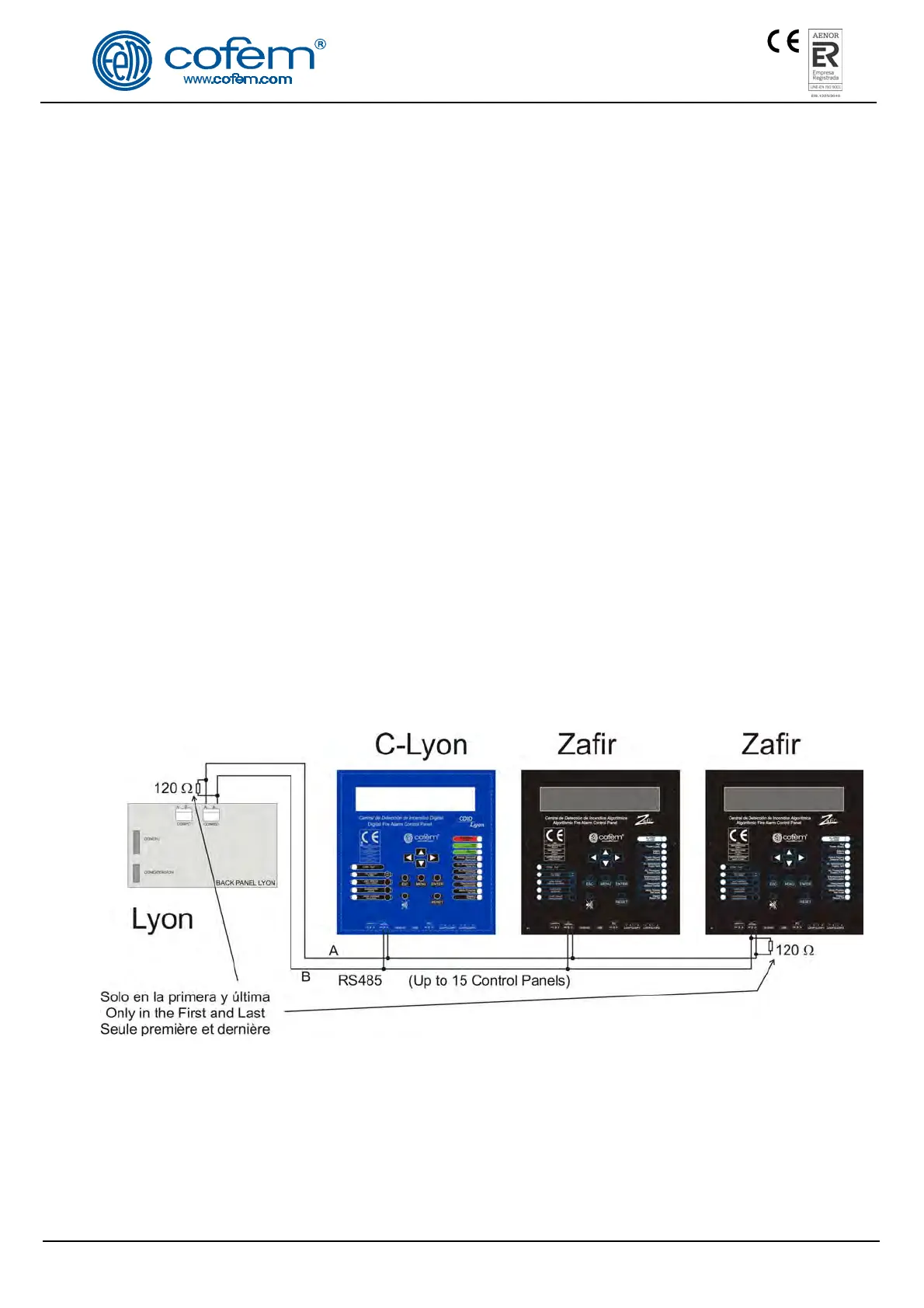
NOTE: Is due to connect a resistance of 120 ohms between the connectors
A and B of the connected strip of the first an last control panel in network
Figure 13. Control panels network connection


 To Next Page