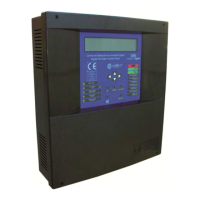
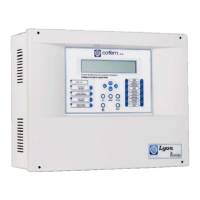
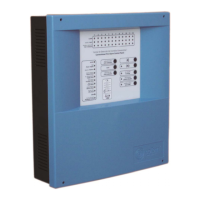
Digital fire detection control panel
COMPACT LYON
FIRE PRETECTION MANUFACTURER 43
Ctra. de Molins de Rei a Rubí, Km. 8,4 - 08191 RUBÍ (Barcelona) ESPAÑA.
Tlf.: +34 935 862 690 - Fax:+34 936 999 261 - cofem@cofem.com - www.cofem.com
If the right cursor is pressed we will be able to see the rest of the fault information.
F
AULTS C:B:Pt:
01>Z: 001 01 01 001
02 Z: 003 01 01 003
>> 01
02
Within point faults the following types of fault exist:
Type of fault Description
All elements
POINT NO REPLY
Communication fault with point.
A30XHA
DIRTY SENSOR
The A30XHA sensor has a dirty optical camera.
A30XHA-S
DIRTY SENSOR
The A30XHA-S sensor has a dirty optical camera.
A30XHTCO
DIRTY SENSOR
The A30XHTCO sensor has a dirty optical camera.
MDA1Y,
MDA2Y,
MYOA
SC RELAY (Nº)
Short circuit in logical relay.
OC RELAY (Nº)
Open circuit in logical relay.
24V RELAY (Nº)
Absence of 24V in the relay module.
RELAY NOT ACTIV.
It has not been possible to activate the relay.
MSTAY, MYOA
SC INPUT
Input short circuit
OC INPUT
Input open circuit
Master modules
S. L. MASTER
Short circuit in the zone of the master module.
O. L. MASTER
Open master circuit (the circuit is not closed with a line
terminating condenser).
General siren faults
If the control panel detects a failure in the power supply to any of the two general sirens, it will
illuminate the amber GENERAL FAILURE LED, sound the buzzer and show the following message.
F
AULTS TYPE :
01>SUPPLY CONTROL AC RELAY : 01
0 2 SUPPLY CONTROL OC RELAY : 0 2
01
02
Relay number
The relay number indicates to us, in this example, which of the two sirens is faulty (R1 shown as 01
and R3 as 03). Within general siren faults, we have these types of fault:
Type of fault Description
SC RELAY (Nº)
Short circuit in the general sounder relay.
OC RELAY (Nº)
Open circuit in the general sounder relay.
3.2.1.3- Moving through incidents.
Once the control panel has displayed any of the incidents described above, the user will be able to
move among them using the “up and down” cursors and with the right cursor we will be able to see more
information about the selected incident.
Incidents of the same type are always displayed on the screen in chronological order. On the screen,
we have a maximum of two incidents. The incident that appears in the lower part of the screen is the last
incident that has taken place and the incident in the upper part is the selected one, which we can change with
the up and down cursors.
In order to change the type of incident on the screen we must press the ENTER key.


 To Next Page
 Loading...