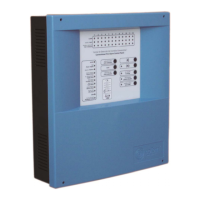
Digital fire detection control panel
COMPACT LYON
46
FIRE PRETECTION MANUFACTURER
Ctra. de Molins de Rei a Rubí, Km. 8,4 - 08191 RUBÍ (Barcelona) ESPAÑA.
Tlf.: +34 935 862 690 - Fax:+34 936 999 261 - cofem@cofem.com - www.cofem.com
3.2.2.9- System test.
Option 6 of the main menu, SYSTEM TEST. This is an option that allows us to perform a test of the
control panel indicators. In this test all LED should be illuminated, the buzzer should sound and the
following screen be shown:
█
███████████████████████████████████████
████████████████████████████████████████
████████████████████████████████████████
3.2.2.10- Welcome message
Option 7 of the main menu. From this option it is possible to change the welcome message. The
welcome message is the text that appears on the first line when the control panel is in standby. This message
can have a maximum of 40 characters, which we will enter by means of the control panel cursors or an
external keyboard.
3.2.2.11- General reset.
Option 8 of the main menu. From this option it is possible to reinitialise the whole system. When
resetting the system all the control panel events are deleted, that is to say, alarms, faults and actuations. It
maintains the state of the out of service elements and/or zones.
3.2.3- Level 3 access.
3.2.3.1- Access code.
When entering the SYSTEM CONFIGURATION menu, we gain access to level 3 by means of a
code (9000). From this menu we can configure the whole system and review the history.
3.2.3.2- Review history
Option 1 of the SYSTEM CONFIGURATION menu. In this menu we have 5 submenus: REVIEW
COMPLETE HISTORY, REVIEW ALARMS, REVIEW FAULTS, REVIEW DISABLED ITEMS and
REVIEW RELAYS.
By means of the up and down cursors we will move through the various stored events. The events are
stored in chronological order from the most recent to the oldest, storing a maximum of 4095 events. Once
4095 events are stored, the control panel will automatically delete the oldest in order to store a new event.
Review complete history: This enables each of the incidents detected by the control panel to be
reviewed, understanding by incident: disabled alarms, faults, zones and elements and actuations of relays.
Review alarms: This submenu is the same as the one to review the complete history except that is
exclusively for alarms.
Type of event Type of alarm
N
UM: 003 ALARM CALL POINT
LOOP: 01 POINT:005 N.Prog : 00001
ZONA:01 C.PANEL:01 01⁄ 01 ⁄ 07 12:01
L
BEL: B:1 P:5 NS:1


 To Next Page
 Loading...