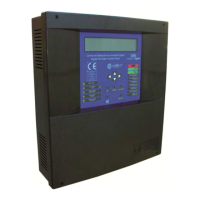
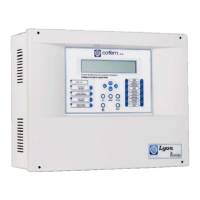
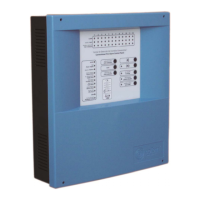
Digital fire detection control panel
COMPACT LYON
FIRE PRETECTION MANUFACTURER 47
Ctra. de Molins de Rei a Rubí, Km. 8,4 - 08191 RUBÍ (Barcelona) ESPAÑA.
Tlf.: +34 935 862 690 - Fax:+34 936 999 261 - cofem@cofem.com - www.cofem.com
Review faults: This submenu is the same as the one to review the complete history except that is
exclusively for faults.
Type of event Type of alarm
N
UM: 003 FAULT : CC RELAY
LOOP: 03 POINT:003 N.Prog : 00003
ZONE:01 C.PANEL:01 01⁄ 01 ⁄ 07 12:01
L
BEL: B:3 P:3 NS:3
Review disabled items: This submenu is the same as the one to review the complete history except that
is exclusively for disabled items.
Type of event Type of item disabled
N
UM: 001 DISABLED DIS. ELEMENT
LOOP: :01 POINT:001 N.Prog : 00120
ZONE:01 C.PANEL:01 01⁄ 01 ⁄ 07 12:01
L
BEL: : B:1 P:1 NS:120
Review relays: This submenu is the same as the one to review the complete history except that is
exclusively for relays.
Type of event Type of actuation
N
UM:004 ACTUATION01 SELF. ACTIV
LOOP: 03 POINT:002 N.Prog : 00002
ZONE : - - C . PANEL : 01 01 ⁄ 01 ⁄ 07 12:01
L
BEL: B:3 P:2 NS:2
3.2.3.3- Label elements.
O
ption 2 of the SYSTEM CONFIGURATION menu. We will have to introduce the loop and element
number to label. This is an option that allows us to label each element of the system, that is to say, to give
each point a description that gives us the information necessary to physically locate it in the installation. The
label can have a maximum of 20 characters. This is the screen that appears during the labelling process:
E
NTER TEXT :
OFF I CE
MENU- >COPY RESET - >P
STE ENTER- >
CCEPT
In order to introduce the label we can use the control panel cursors or an external keyboard.
3.2.3.4- Configure.
Option 3 of the SYSTEM CONFIGURATION menu. Within this option we have 6 submenus: LOOP
CONFIGURATION, CONFIGURE LOGICAL RELAYS, CONFIGURE ALARM ZONES, CONFIGURE
POINT SENSITIVITY, ADDITIONAL PASSWORDS and CONF. AUTOEVACUACION CONF. AUTO
EVACUATION.


 To Next Page
 Loading...