16
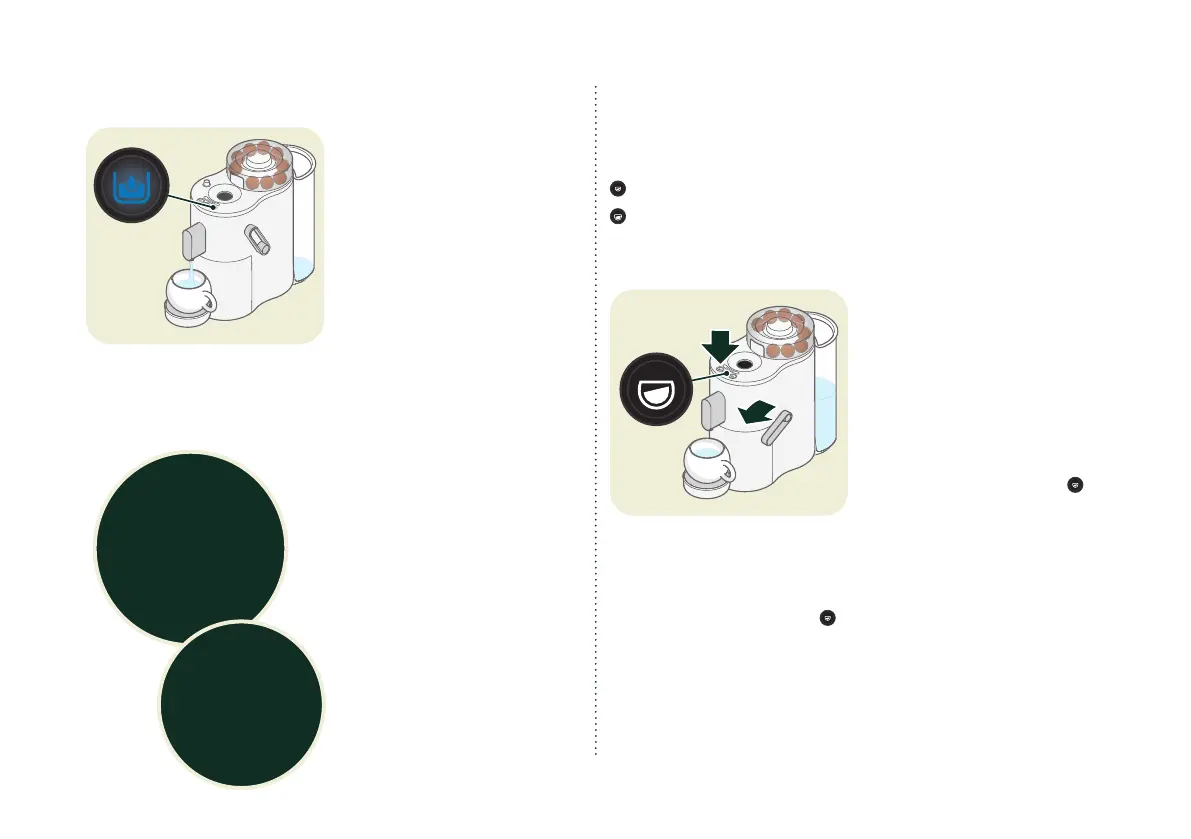
Low water indicator
If the water tank is empty, the
cleaning key lights up blue.
X
Fill the water tank with fresh
water and press the cleaning
key.
The machine dispenses the
remaining amount of drink.
If there is no interaction within
5 minutes, the coffee ball is
discarded.
“CONTAINER” display
After approx. 9 pours, the
"CONTAINER" indicator lights
up orange when the drip tray
is full.
X
Lift the coffee ball and resid-
ual water collection contain-
er slightly and pull it forwards.
X
Empty the collection con-
tainer.
X
Replace the collection con-
tainer.
Programming the coffee quantity
The output quantities can be adjusted for each coffee key.
The default settings are:
Espresso: 40 ml
Lungo: 110 ml
The programmable output quantity is 25 – 200 ml.
X
Place the cup under the
spout.
X
Check the level of the
water tank. Fill with water, if
required.
X
Add coffee balls and gently
close the operating lever.
X
Hold down the key to be pro-
grammed (e.g. Espresso )
for at least 3 seconds, until it
ashes rapidly three times.
X
Release the key.
Coffee output starts.
X
When your cup is full enough: Press the key to be pro-
grammed (e.g. espresso ) again.
Coffee output stops. All keys light up.
The new programmable quantity setting is applied.
If the water tank empties during programming:
X
Repeat the programming with a full water tank.
Remove the
drip tray from the
machine for at least
8 seconds so that the
“CONTAINER” indicator
resets.
Attention:
Wetting the
coffee balls creates
additional residual
water.


 To Next Page