Connecting the Reader
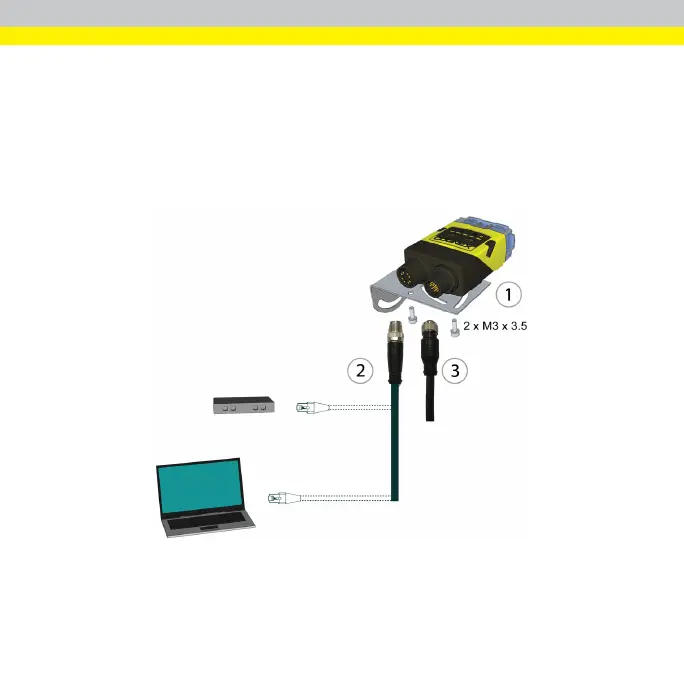
Perform the following steps:
1. Mount the reader.
2. Connect the Ethernet cable (CCB-84901-2001-05) either to a computer or
a switch.
3. Connect the breakout cable (CCBL-05-01).
For information on the pinout and wire colors, see section Connections, Optics and
Lighting in the DataMan 260 Reference Manual.
23









 To Next Page