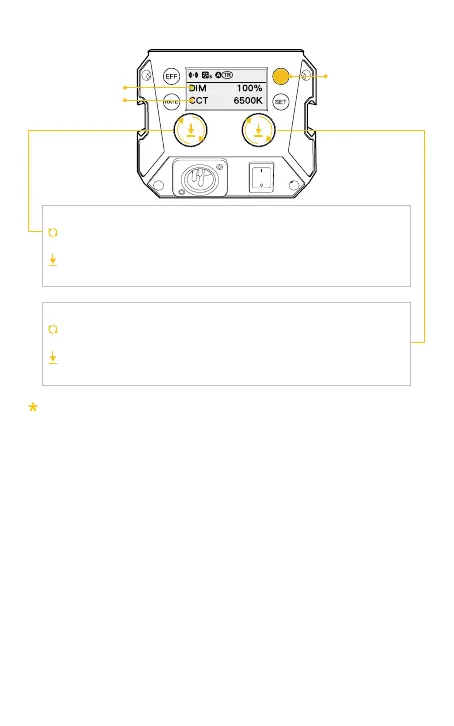
2. CCT Mode (Short press CCT Mode Button to enter)
Turn the knob clockwise or anti-clockwise to adjust color
temperature (CCT) from 2700K~6500K
Press down the knob to quickly switch the preset color temperature
to 2700K, 3200K, 4000K, 5600K, and 6500K
Turn the knob clockwise or anti-clockwise to adjust brightness (DIM)
from 0%~100%
Press down the knob to quickly switch the preset brightness to 0%,
25%, 50%, 75%, and 100%
Color Temperature Control Knob
Brightness Control Knob
Rolling the knob will enlarge the current setting parameter value, and it will
automatically return to the main screen after 1.5 seconds of no operation
Brightness
Color Temperature
CCT Mode Button



 To Next Page