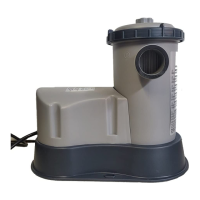
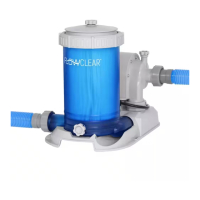
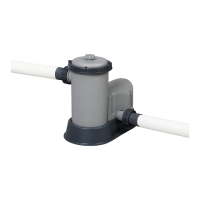
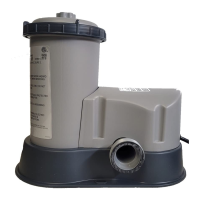
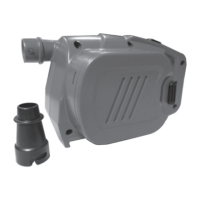
This document is an owner's manual for the Coleman 90445E Filter Pump, providing comprehensive instructions for its installation, operation, maintenance, and troubleshooting, with a strong emphasis on safety.
Function Description
The Coleman 90445E Filter Pump is designed to filter water for storable swimming pools, ensuring cleanliness and hygiene. It operates by circulating pool water through a filter cartridge, removing debris and impurities. The pump is equipped with a ground-fault circuit-interrupter (GFCI) for electrical safety and features a thermally protected motor. It is intended for use with swimming pools only and is not suitable for permanently-installed pools. The device also integrates Wi-Fi connectivity, allowing users to control and monitor the pump remotely via a dedicated mobile application, the Bestway Smart Hub™. This smart functionality enables features such as remote on/off control, timing settings, and status monitoring.
Usage Features
The filter pump is designed for ease of use with several operational features:
- GFCI Test Button: A built-in GFCI allows users to test the electrical safety of the unit before each use. The test involves pressing a "TEST" button to interrupt power and a "RESET" button to restore it, with an indicator light confirming proper operation.
- On/Off Button/Wi-Fi Toggle: This button serves a dual purpose: to start or stop the pump and to activate or deactivate the Wi-Fi function.
- Time Setting Button: Users can set the desired run time for the pump using this button. Once set, the pump will automatically restart at the same time the following day. In case of power outage, the running time resets to a 10-hour default.
- Wi-Fi Indicator Light: An LED light indicates the status of the Wi-Fi connection, with different flashing patterns signifying various states such as connected, lost signal, or waiting to connect.
- Filter Cartridge Status Indicator / Low Flow Rate: This indicator illuminates when the filter element is dirty or if the system detects a low flow rate, prompting the user to clean or replace the filter cartridge.
- Digital Display: A digital display shows the pump's status, including "Standby Status" indicated by " - - ".
- Smart Hub™ App Integration: The Bestway Smart Hub™ app (available on Apple Store and Google Play Store) allows for remote control and monitoring of the pump. Features include:
- Remote On/Off: Turn the pump on or off from your mobile device.
- Timing Settings: Schedule pump operation times.
- Status Monitoring: Check the current status of the pump (e.g., running, filter dirty).
- Device Sharing: Share control of the pump with other users via QR code, with a 15-minute expiration for the QR code.
- Connection Process: The manual outlines a step-by-step process for connecting the pump to a mobile device via Wi-Fi, including registering an account, adding the device, selecting the Wi-Fi network, and naming the device. It specifies compatibility with Android 7.0+ and iOS 10.0+ and supports 2.4G networks only. Location services must be enabled on the mobile device for connection.
Maintenance Features
Regular maintenance is crucial for the longevity and efficient operation of the filter pump:
- Filter Cartridge Cleaning/Replacement: The manual instructs users to unplug the pump, stop water flow, unscrew the filter cap retainer, remove the filter cap, and clean the filter cartridge with a garden hose. If the cartridge remains soiled or discolored, it should be replaced with a new one. It is recommended to clean the filter cartridge daily and replace it every two weeks for sanitary reasons.
- Storage: For storage, the pump should be unplugged, water flow stopped, the filter cartridge removed and discarded, all hoses detached, and all components thoroughly dried. The pump should be stored in a dry location, out of reach of children, at a temperature between 4-40°C (39.2-104°F). The pool should also be drained according to its owner's manual.
- Troubleshooting Guide: The manual includes a troubleshooting section for common issues such as "no water flow" (indicated by "Er" on the device or app) and "filter cartridge is dirty / low flow rate." Solutions provided include ensuring the pool's inlet and outlet are covered by water, opening valves, purging air, checking control valves, removing blockages, and cleaning/replacing the filter cartridge.
- GFCI Testing: The GFCI must be tested before each use to ensure it is functioning correctly, as a failed test indicates a defective unit that should not be used.
Safety Instructions
The manual emphasizes several critical safety precautions:
- Electrical Shock Risk: Users are warned about the risk of electric shock and instructed to connect the pump only to a grounding type receptacle with a GFCI. The pump should not be used while people are in the pool. The cord should not be buried and should be kept away from lawn mowers and hedge trimmers. Damaged cords must be replaced immediately by qualified personnel. Extension cords should not be used.
- Children Supervision: Children must be closely supervised when near the product.
- Installation: The pump must be mounted to a base according to installation instructions to prevent electric shock. It should be placed on solid, level ground with adequate ventilation and drainage, away from foot traffic and areas where water may accumulate.
- Chemicals: No chemicals should be added directly to the filter pump.
- Dry Operation: The pump should never be dry run; both the pool's inlet and outlet valves must be fully covered by water before operation.
- Power Disconnection: Electrical power must be turned off at the circuit breaker and locked before any maintenance to prevent shock, injury, or death.
- Plug Integrity: The grounding prong should not be removed, nor should adaptor plugs be used.
- Cord Handling: The pump should not be pulled or carried by its power cord, and the plug should not be yanked from the outlet. The cord must be kept free from abrasions, sharp objects, oil, moving parts, and heat.
- Pre-Use Inspection: Equipment should be examined before use, and any manufacturing defects or missing parts should be reported to Bestway customer service.
- Environmental Conditions: Atmospheric conditions can affect the pump's performance and lifespan; sheltering the pump from extreme cold, heat, and sun is recommended.


 To Next Page
 General