OpInstructions_En.fm
4
4 Introduction
Characteristic features of the Collamat 2600-system:
• low wearing, no clutch/brake system
• compact, easy handling due to flying modular design
• easy to operate
The modular concept allows homogeneous fastening of the peripheral de-
vices on one module-bar (position bar with integrated scale). The respective
electronic control is integrated in the device itself.
The communication between each peripheral device happens via the bus-sy-
stem which is placed in the module-bar of this system.
The operating elements for the dispensing speed, predispensing, optical la-
bel scanner as well as the main switch with the optical display are placed di-
rectly on the traction unit case.
All parts are corrosion-resisting and the tractionroller of the traction unit is fur-
nished with a special coating to assure a lasting slip-free transmission of the
torque onto the carrier paper of the label strip. The rewinding power of rewin-
der spindle as well as the brake force of the paper brake can be adjusted on
the traction unit from the outside.
5 Mechanical adjustment of the dispenser
5.1 Threading of the label web
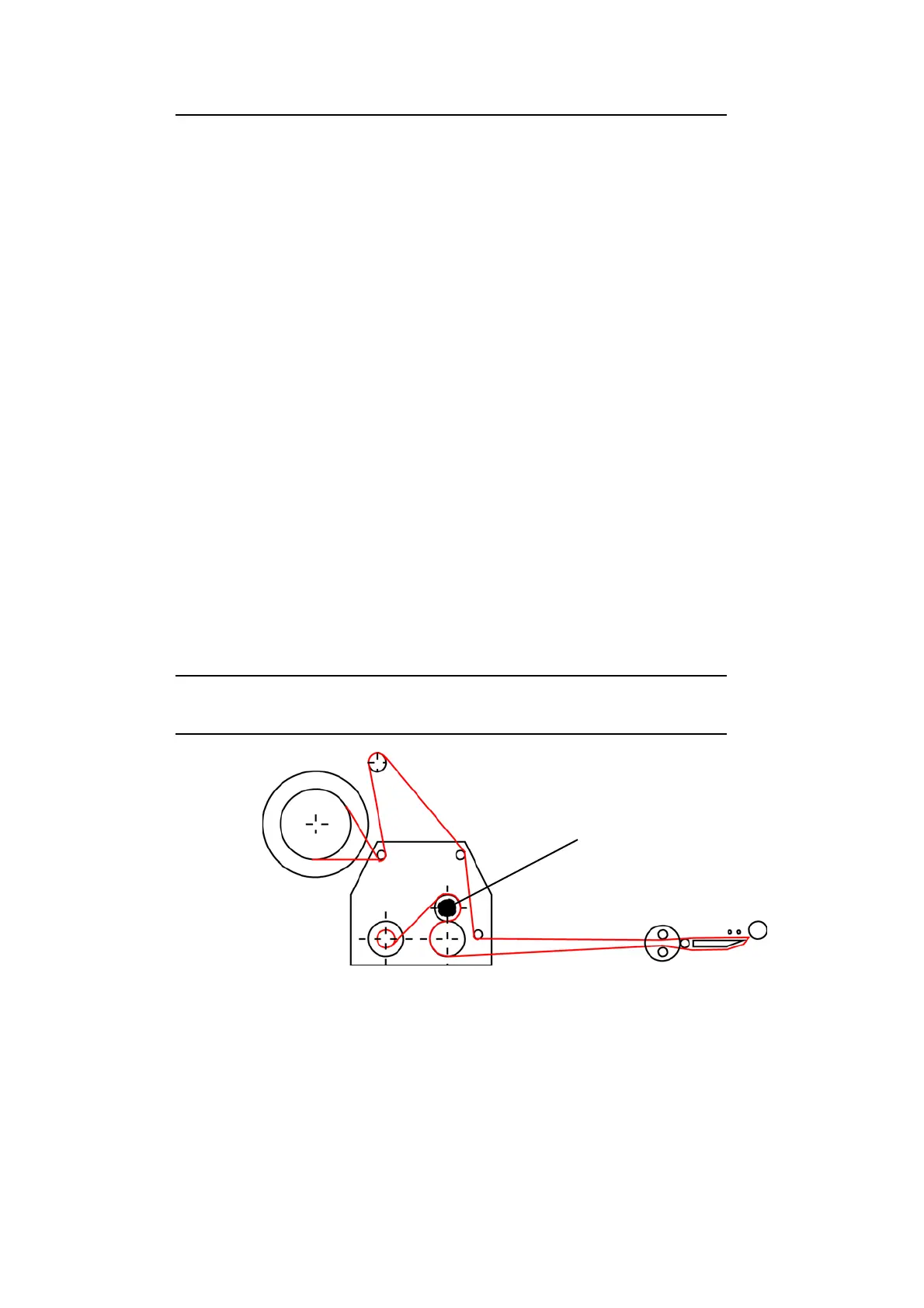
Thread label web according to illustration up to the dispensing edge and pull
forward approx. 1 m.
Detach labels from the carrier strip where it has been pulled forward. Then,
by turning knob (1) open the counter- pressure roller, fold down the carrier
paper (backing paper) over the dispensing edge and finish threading the label
strip according to the illustration above.
Close the counter-pressure roller. Adjust the lateral guides to leave a space
of 0,5 mm between them and the label strip.
1



 To Next Page