3-4 Chipset
System Agent Configuration (North Bridge configuration)
Initiate Graphic Adapter
Set the main display device.
The set values are:Auto、IGD、PCI Express。
IGD Multi-Monitor
Set IGD Multi-Monitor.The set values are:Disabled、Enabled。
PCH Configuration(South Bridge Configuration)
Restore AC Power Loss
Restore power after power outage, set the state of the PC.
The set values are:Power Off、Power On、Last State.
Azalia HD Audio
Open or close the hi-fi audio controller.
The set values are:Disabled、Enabled.
Case Open Warning
Set the alarm when the case has been opened.
The set values are:Disabled、Enabled、Clear.
ME Configuration
ME Control
Set to open or close the ME firmware.
The set values are:Disabled、Enabled。
ME FW Version
Displays ME the FW version.12.0.0.1033
23
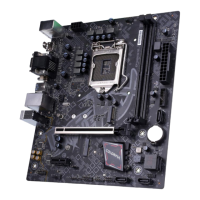
BATTLE-AX B360M-E PRO V21/BATTLE-AX B360M-HD PRO V21












 To Next Page