EasyManua.ls Logo

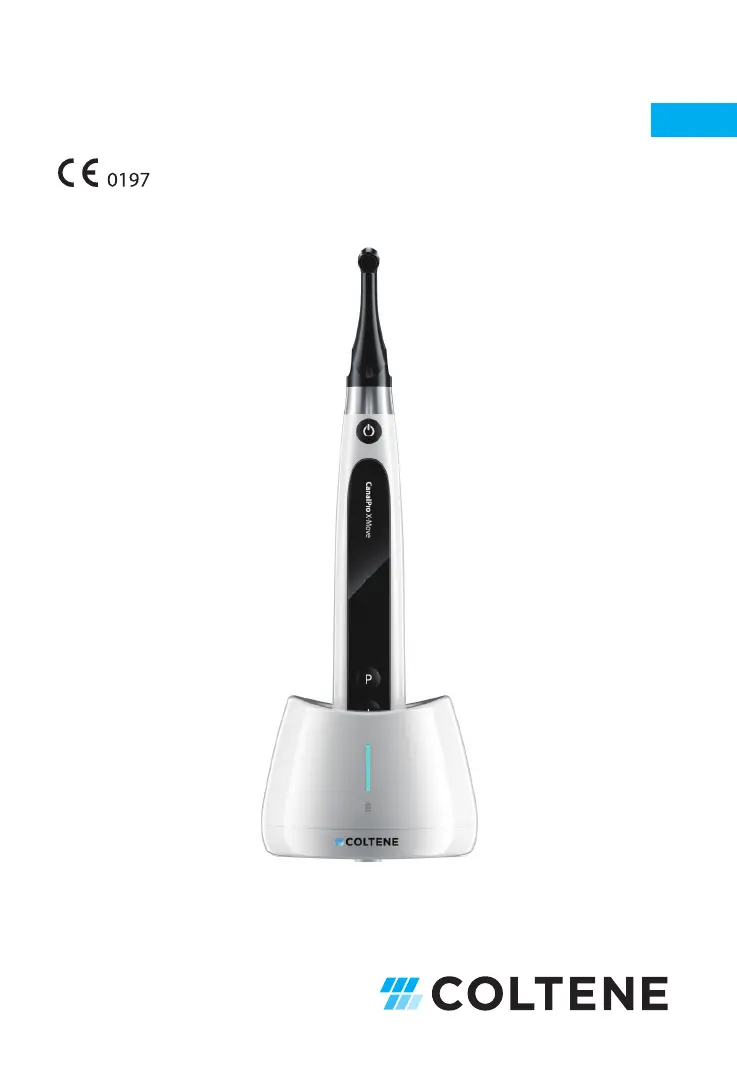
Coltene CanalPro X-Move - User Manual

Default Icon
36 pages
Print Icon
To Next Page IconTo Next Page
Loading...
CanalPro X
-
Move
Instructions for Use – User Manual
EN

Questions and Answers

  • W
    wrightmichaelAug 7, 2025
    What to do for contra-angle calibration failure on Coltene CanalPro X-Move?
    • K
      karenharrisAug 7, 2025
      If the contra-angle calibration fails on your Coltene Dental equipment, it could be due to strong resistance in the contra-angle. Clean the contra-angle and recalibrate after oil injection to resolve this issue.
  • T
    Tiffany AustinAug 13, 2025
    How to fix no sound on my Coltene Dental equipment?
    • W
      Wayne SimpsonAug 13, 2025
      If there is no sound from your Coltene Dental equipment, it might be because the beeper volume is set to 0 (mute). To resolve this, set the beeper volume to 1, 2, or 3.
  • C
    Chad JohnsonAug 19, 2025
    What to do if the file is stuck at the root canal with Coltene Dental equipment?
    • S
      Susan BridgesSep 12, 2025
      If the continuously rotating file gets stuck in the root canal when using your Coltene Dental equipment, it may be due to an incorrect specification setting where the torque load is too high for the file. To resolve this, choose CCW Mode, start the motor handpiece, and carefully remove the file.
  • R
    Rachel EdwardsAug 26, 2025
    Why is my Coltene CanalPro X-Move beeping continuously?
    • J
      Jackson DiazAug 26, 2025
      The continuous beep sound after starting the motor handpiece on your Coltene Dental equipment indicates that it is in CCW mode. Stop the motor handpiece and change the operating mode to CW Mode to resolve this.
  • W
    William Taylor PhDAug 31, 2025
    Why is the motor handpiece of my Coltene CanalPro X-Move not rotating?
    • N
      Nicole SmithAug 31, 2025
      If the motor handpiece of your Coltene Dental equipment does not rotate, it may be because the device is in EAL mode, which is specifically for canal measurement. Change the mode to CW, CCW, REC, or ATR to enable rotation.

Summary

Product Introduction

1.1 Description of the device

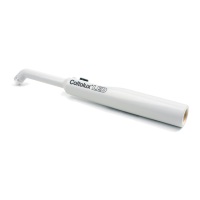
Details the CanalPro X-Move as a cordless endodontic motor with integrated root canal apex locator.

1.2 Components and accessories

Lists and illustrates all included components and accessories for the CanalPro X-Move device.

1.3 Technical specifications

Provides detailed technical specifications for the motor handpiece, power adapter, and charging.

1.5 Contraindications

Outlines conditions or patient types where the device should not be used.

1.6 Device safety classification

Specifies the device's operation mode, protection against electric shock, and water ingress.

1.7 Environmental parameters

Defines the acceptable operating ambient temperature, humidity, and atmospheric pressure.

1.8 User qualification

Specifies that the device must be operated by legally qualified dentists.

1.9 Intended use

Describes the primary functions of the device as an endodontic motor and apex locator.

Device Setup Instructions

2.1 Contra-angle setup

Step-by-step guide for connecting, using, and disconnecting the contra-angle.

2.2 File setup

Instructions on connecting and disconnecting endodontic files to the contra-angle.

2.3 Apex locator setup

Details on setting up the device for apex locator functionality, including wire connections.

Device Operation Modes and Display Interface

3.1 Motor modes

Explains the different motor operation modes like CW, CCW, REC, and ATR.

3.2 Apex locator Operation mode

Describes the EAL (Electronic Apex Locator) mode for working length determination.

3.3 Combined Motor and Apex locator Operation mode

Details the mode that combines motor function with apex locator feedback.

3.4 Display interface

Illustrates and explains the various elements displayed on the device screen.

Device Operating Instructions

4.1 Setting interface and button description

Overview of the device's interface, buttons, and their functions for operation.

4.2 Power ON and power OFF the device

Instructions on how to turn the device on and off.

4.3 Select User Programs

Guidance on selecting and managing memorized user programs and presets.

4.4 Set User Program parameters

Details on how to configure parameters for user-defined programs.

4.5 Set device parameters

Instructions for configuring general device settings like auto power off and beeper volume.

4.6 Torque overload protection

Explanation of how the device protects against excessive torque during operation.

4.7 Apex locator limitations

Discusses factors that can affect the accuracy of the apex locator function.

Troubleshooting

Cleaning, Disinfection and Sterilization

6.1 Foreword

Introduction to hygiene and sanitary safety for the device and its accessories.

6.2 General recommendations

Guidelines for cleaning, disinfection, and handling with infectious agents.

6.3 Step-by-Step Procedure for the motor handpiece, the AC adapter and the base

Procedure for manual cleaning and disinfection of the main device components.

6.4 Step-by-Step Procedure for accessories (contra-angle, lip clip, file holder, touch probe)

Procedure for cleaning, disinfection, and sterilization of device accessories.

Maintenance

7.1 Calibration

Procedure for calibrating the contra-angle after replacement or lubrication.

7.2 Lubrication of the contra-angle

Instructions on how to properly lubricate the contra-angle after cleaning and disinfection.

7.3 Charging of the battery

Steps for connecting the device to the charging base and the charging process.

7.4 Replacement of the battery

Step-by-step guide on how to replace the device's battery.

Storage

Transportation

Environmental Protection

After Sales Service

Symbol Instruction

Statement

EMC-Declaration of Conformity

14.1 Technical Description Concerning Electromagnetic Emission

Details guidance and declaration for electromagnetic emissions from the device.

14.2 Technical Description Concerning Electromagnetic Immunity

Provides guidance and declaration for electromagnetic immunity of the device.

Coltene CanalPro X-Move Specifications

General IconGeneral
BrandColtene
ModelCanalPro X-Move
CategoryDental equipment
LanguageEnglish

Related product manuals