『
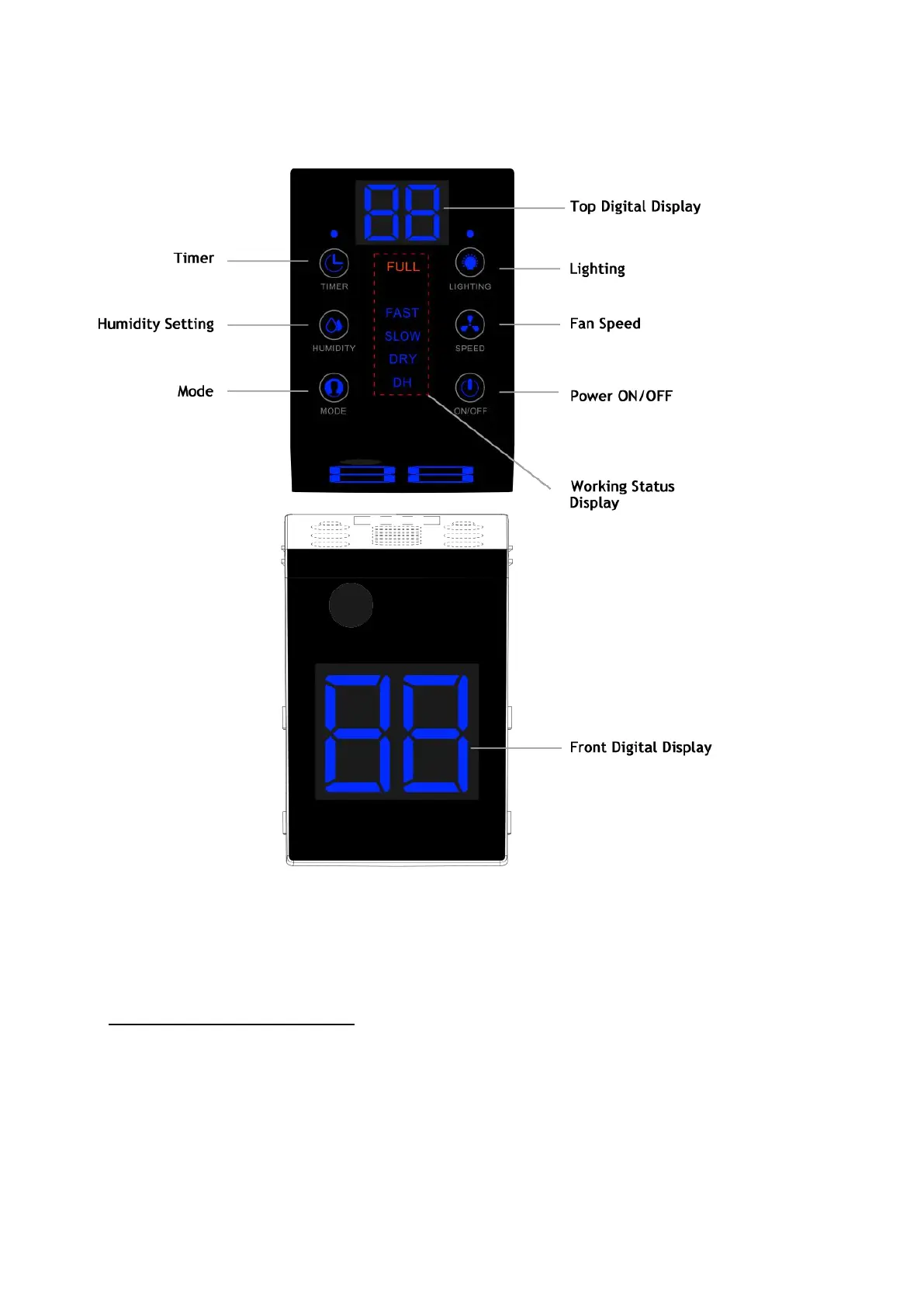
CONTROL PANEL IDENTIFICATIONS
』
1. Understand the Top Control Panel
The top control panel features a digital display and 6 buttons.
1) Understand the Control Buttons
POWER Button: Press to turn the dehumidifier ON or OFF.
Mode Button: Press to switch the working mode between DH (DEHUMIDIFY) mode and DRY
(Laundry Dry) mode.


 To Next Page