⚫ Connect the negative pole of the external DC power supply to the terminal "-48V".
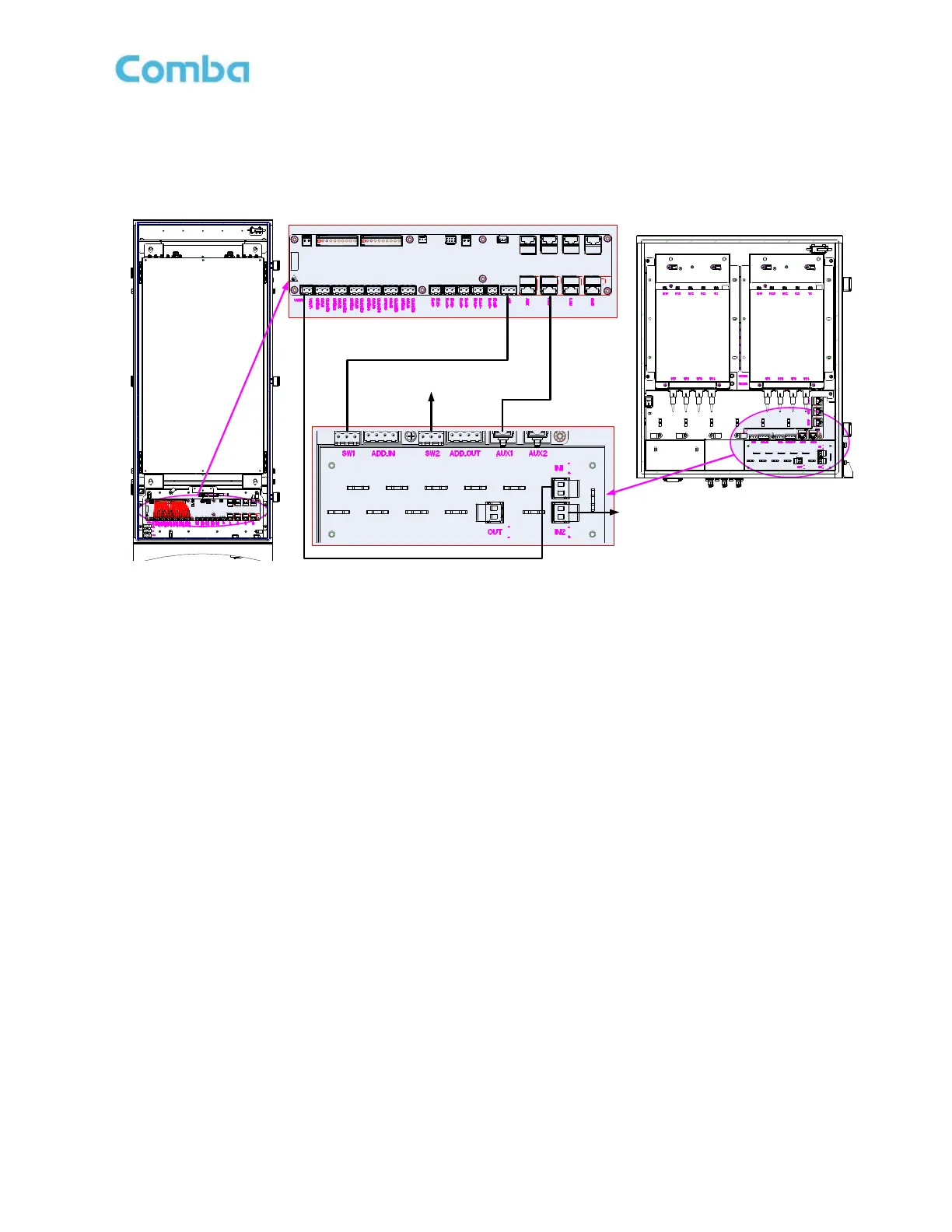
3.3.10 DC POWER AND MONITOR CABLE CONNECTION BETWEEN MU AND EU
Figure 20: DC power and Monitor cable connection
⚫ The power supply of the Expansion Unit is DC24V-DC48V, which can be directly supplied by the MU or DC48V
independently. When powered by the MU, the main MU power supply line connection: VOUT+→IN1+, VOUT-
→IN1-; the standby MU power supply line connection: VOUT+→IN2+, VOUT-→IN2-;
⚫ Switch Cable connection: main MU→EU: SW→SW1; backup MU→EU: SW→SW2;
⚫ RJ45 Cable connection: main MU→EU: FOU→AUX1; backup MU→EU: FOU→AUX2.



 To Next Page