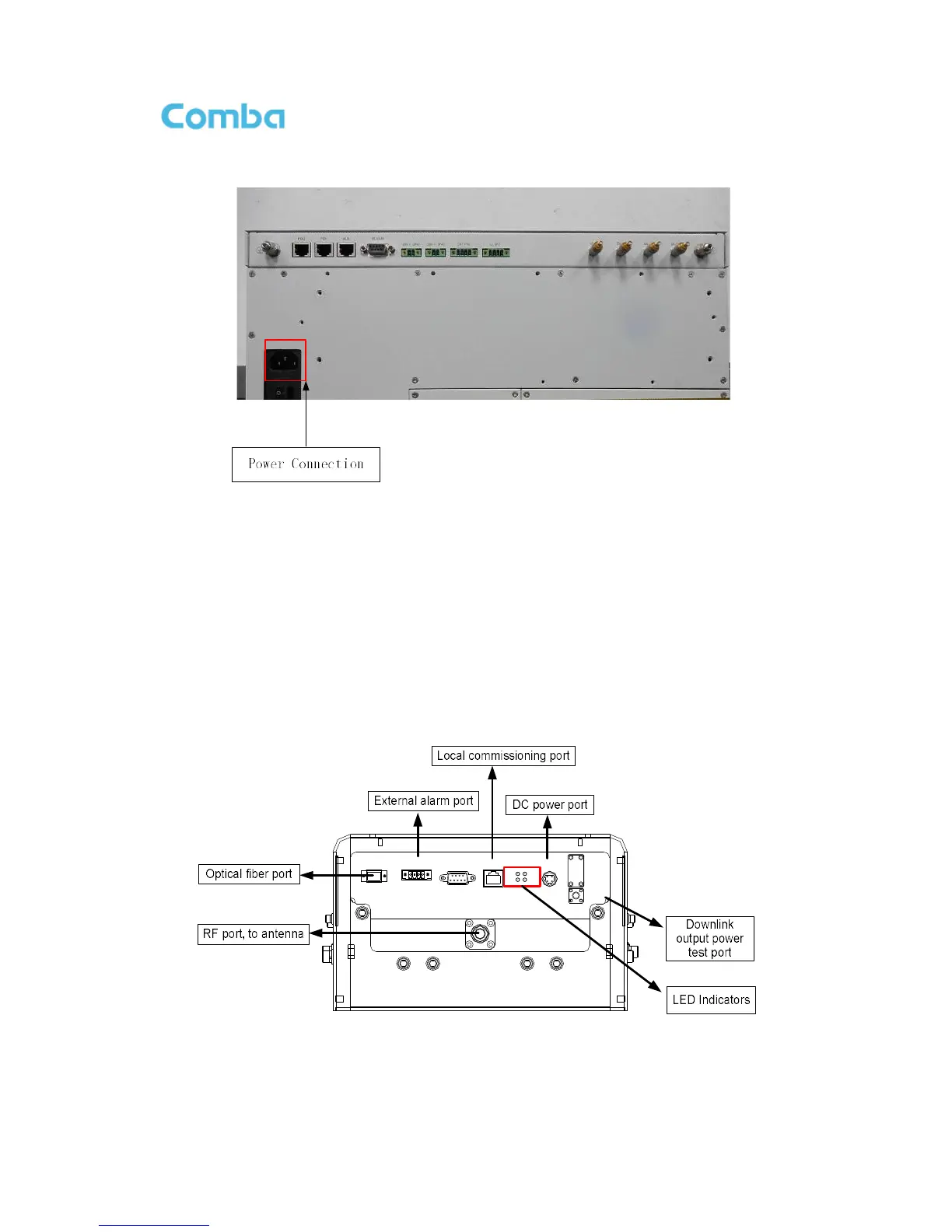
Step 3: Connect the power cable to the power supply port (100-240VAC, 1Amp maximum).
Figure 30: MU Power Connection (Rear Panel)
3.5.5 RU CONNECTION
Step 1: Connect the RU OP (optic) port to one of the OP port located on MU FOU front panel.
Step 2: Connect ANT port to a broadband antenna using 50Ohm coaxial cabel. Note: coaxial cable must
be mini-Din male on the RU side, antenna shoule be 50Ohm.
Step 3: Connect DC 28V port to RU Power Supply Unit DC 28V port.
Step 4: Connect power cable on PSU with the public power grid (110~220VAC, 6A maximum).
ANT
RX_EXT
TX_EXT
TEST
PWR
RUNALM
OP
DC 28V
LAN
RS-485
EXT_ALM
OP
Figure 31: RU Fiber Optical and RF Port Connection



 To Next Page