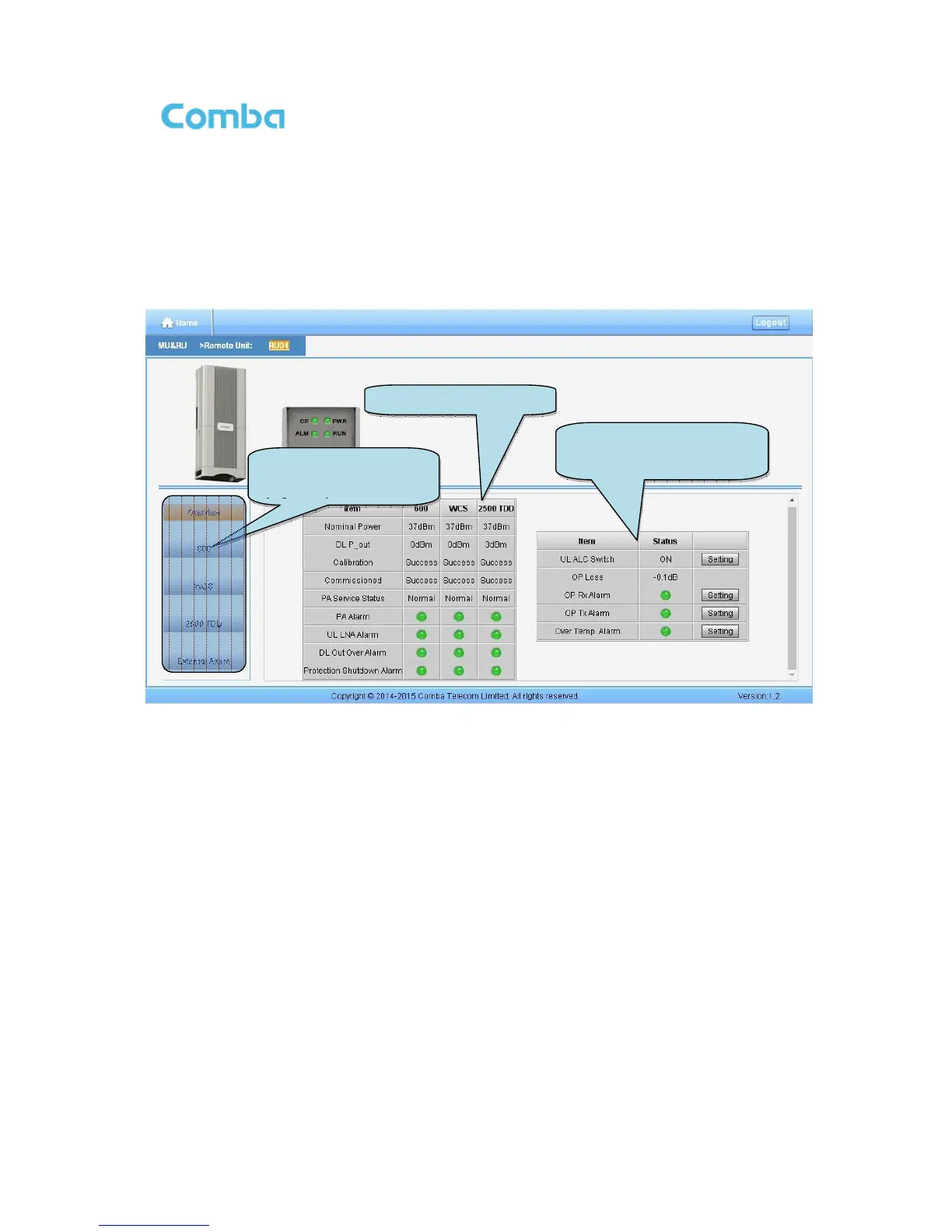
Remote Unit Management Screen
Click RU photo, users can visit RU directly. Make sure two steps are done before visit RU:
RU and MU are connected by optical fiber.
RU device scanning is done. Note: Go to [Commissioning] page or [Management] page for device
scanning.
Figure 45: RU Device
NOTE: There are three statuses for PA Service: Normal, Recovery and Shutdown. If PA output power
or reflected power exceeds the threshold (39dBm for MRU), software will trigger Recovery:
It will reset PA and then re-detect the PA output power and reflected power, if they are normal, the PA
Service Status will turn to Normal, if PA output power or reflected power is still over the threshold, PA
Service Status will turn to Recovery again.
If PA output power or reflected power is still over the threshold after six times of PA Recovery, PA
Service status will be Shutdown which will need to be reset manually. Reset at Management > PA
Reset.
Click on a specific band on the left side of RU Device page, the corresponding band information will show.



 To Next Page