37
To order services, visit xnity.com
To print a copy of this page, visit xnity.com/CommunitiesHandbook
For more information on how to record a program, visit xnity.com/Help
and search X1 record a program.
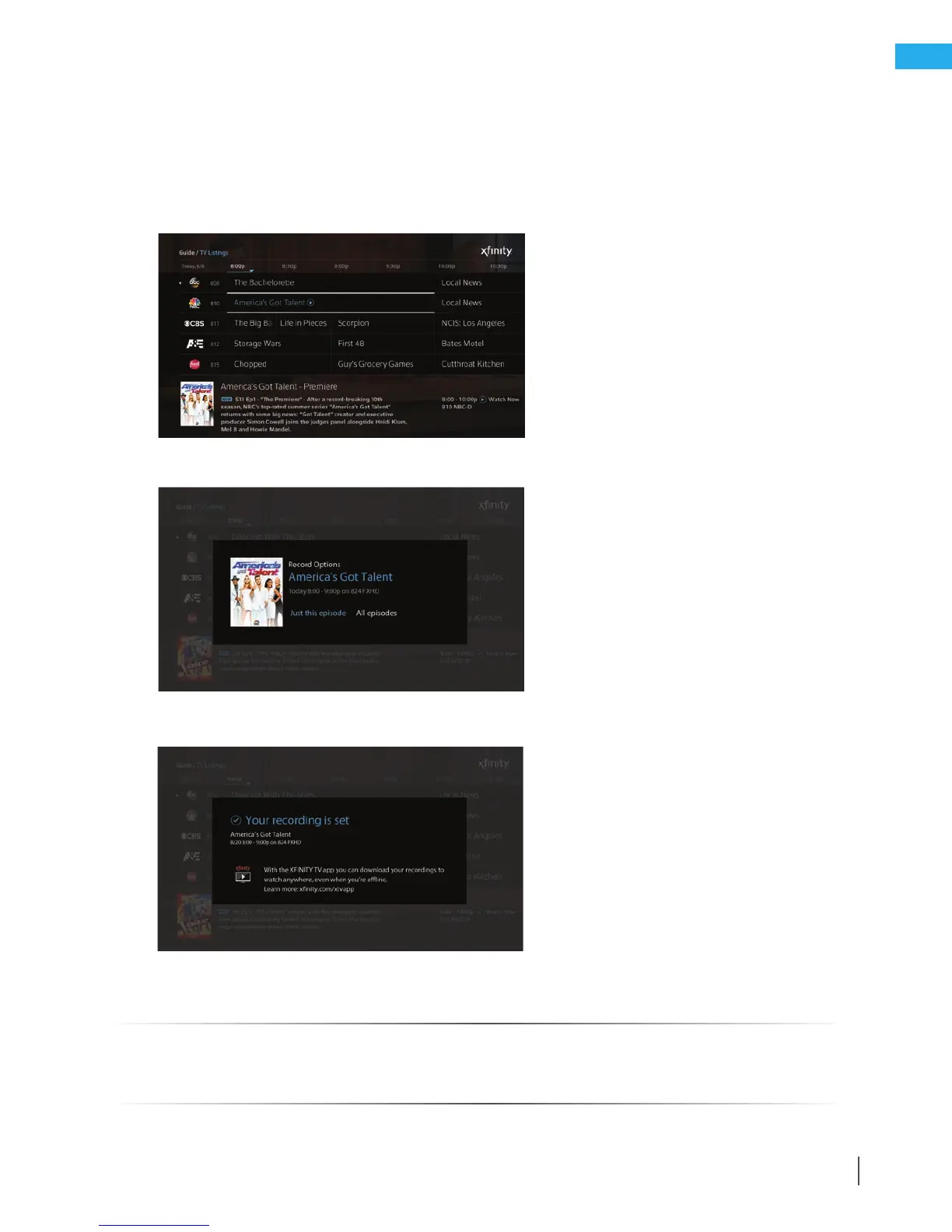
Use these steps to record a program using X1.
How to record a program
1. Highlight a program on the Guide screen.
2. Select the Record button on the remote control or select the Record option on the program’s info panel.
3. Select Just this episode or All episodes, and the recording will be set.
Quick Reference Tips – X1



 To Previous Page