5
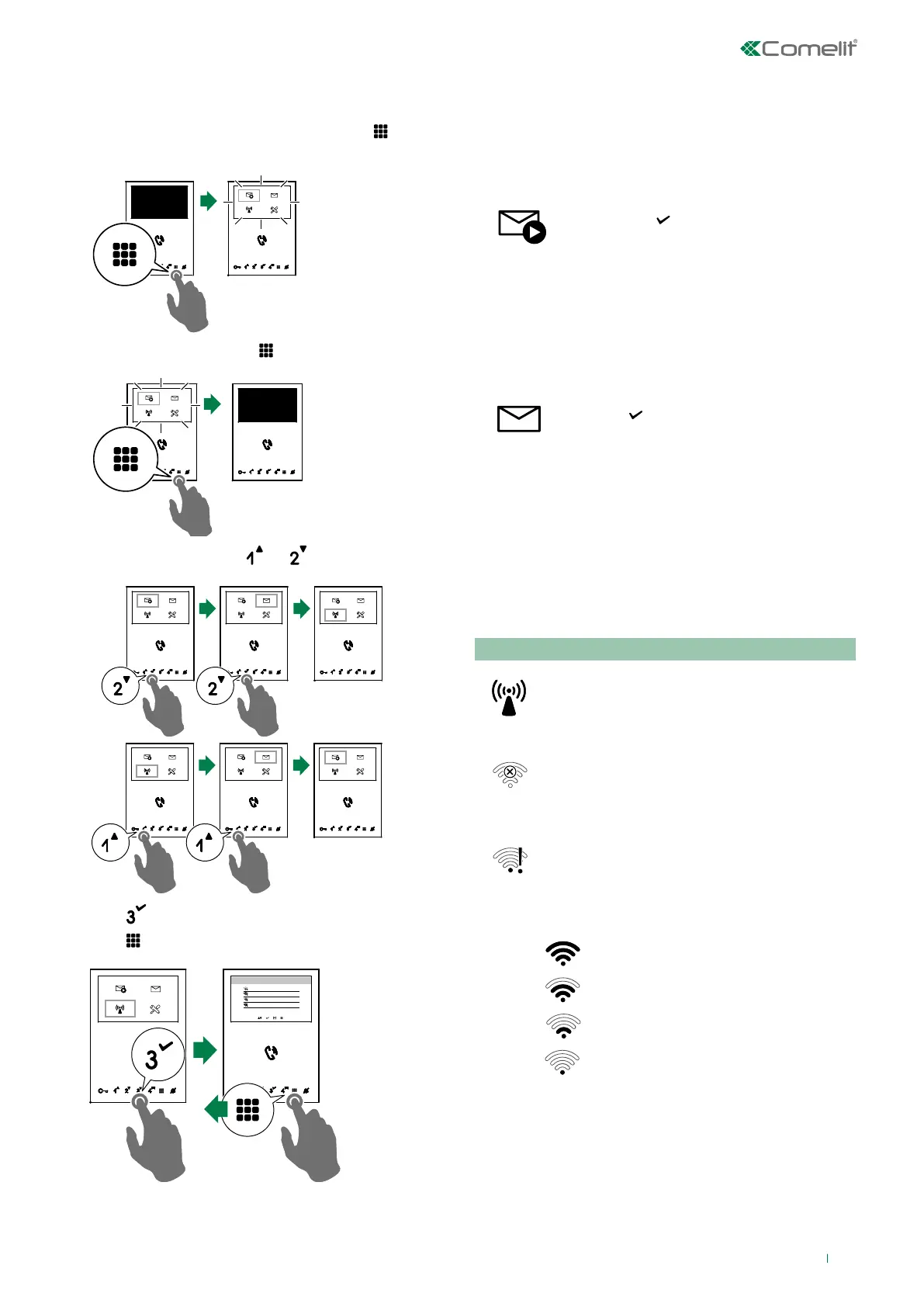
Navigation mode
f With the door entry monitor in standby, press to switch
on the display
f From the homepage, press to switch o the display
f Navigate the menu using and
f Press to confirm a selection
f Press
to return to the previous screen
Wifi configuration
MY-Wifi
Other Wi-fi_1
Other Wi-fi_2
Other Wi-fi_3
Device functions
Video memory
This function automatically starts video recording in the event
of no reply.
f Scroll through the menu to the icon
and press
to confirm and enable the
function
» The blue icon indicates that the
function is active.
Video messages
This function allows you to view the video messages stored in
the memory.
f Scroll through the menu to the icon and
press to confirm and access the video
memory submenu
» The blue icon indicates that there is at
least one video message that has not
yet been viewed.
Wi-Fi
The icon in the main menu offers access to the Wi-Fi
connection settings for the device while indicating its
connection status.
Wi-Fi connection status - Key to symbols
Access point
If the system requires wireless connection of the
door entry monitor, link the device to the local
router.
No connection
Door entry monitor Wi-Fi reception is enabled,
therefore you need to check the router
conditions (on/o, correct operation, distance
from the monitor, correct password).
Router connected, no internet
Check with your internet provider.
Signal strength:
Excellent
Good
Moderate
Weak



 To Next Page