9
4. Tap “Front Door Lock”
5. Tap “Edit Voice Code” and enter an “unlock confirmation”
code.
» When you receive a call from the external entrance
panel after giving the command: “Alexa, unlock
the front door”, the voice confirmation code will be
requested before the door lock is opened.
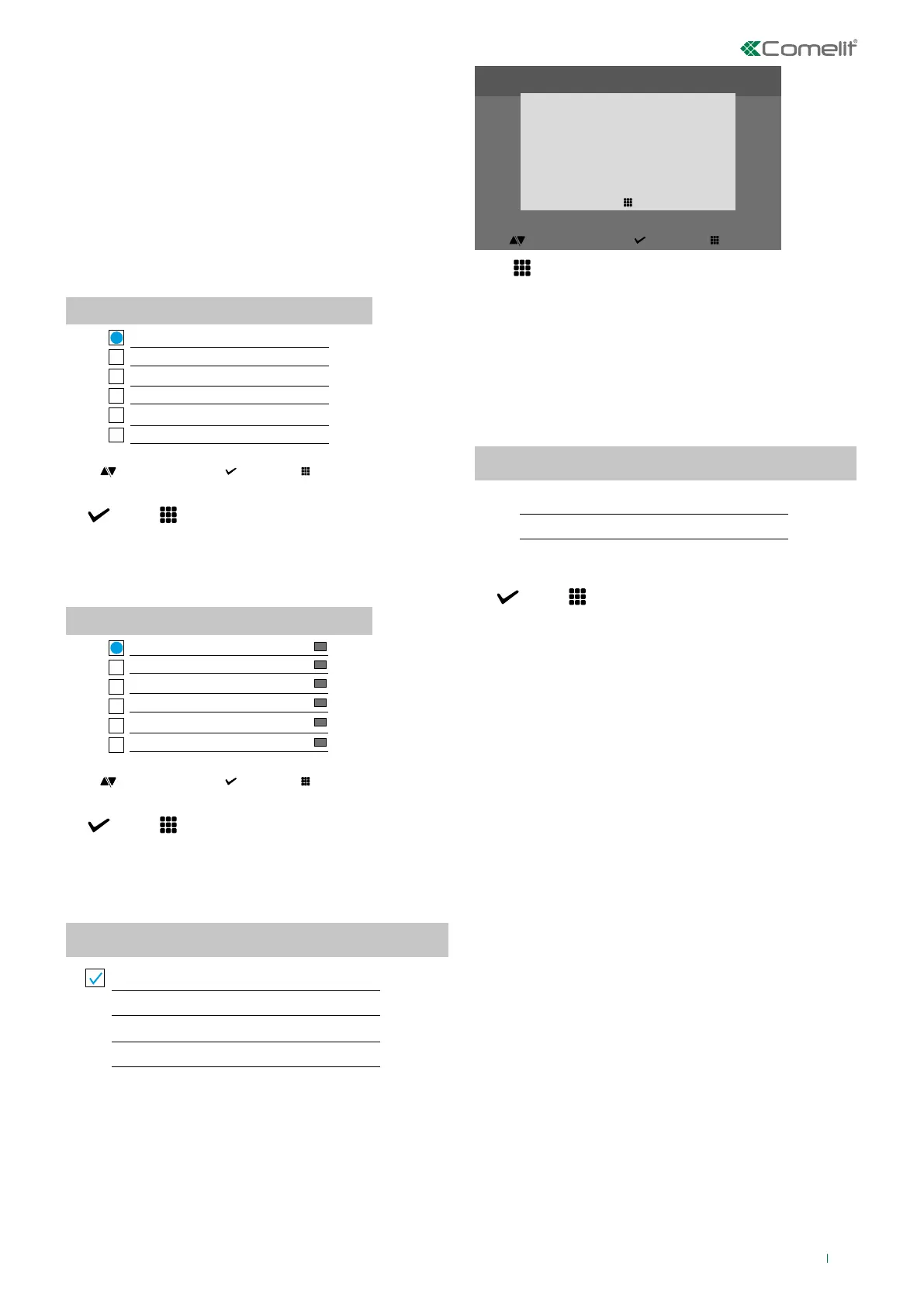
Date and time setting
Allows setting of the device date and time, by selecting your
time zone.
Date and time setting
GMT O London, Lisbon, Dublin
GMT +2 Athens, Istambul, Cairo
GMT +3 Moscow, Bahrain, Kuwait
GMT +3.30 Tehran
GMT +4 Abu Dhabi, Muscat, Baku
GMT +1 Paris, Zurich, Rome
select exitscroll
f Navigate to the desired option, then confirm the selection
or exit
Language
Used to set the device language.
Language
Italiano
Français
Español
Português
Deutsch
English
select exitscroll select exitscroll
f Navigate to the desired option, then confirm the selection
or exit
Diagnostics
Diagnostics menu for the installer.
Diagnostics
Send debug log remotely
Push Notification Test
Speed Test
Restart
Information
This menu provides technical information about the device
(e.g. type of device, versions, addresses, etc.).
SW: beta-1.1.0-devel12
beta-1.1.0-devel4
v1.1.1 devel 10
IP: 172.25.150.74 (255.255.255.0)
SN: 00B06c1915A1
GW: 172.25.150.250
SETUP
exit
select exitscroll
Press to exit the screen
Reset
The menu can be used to:
• reset the Wi-Fi parameters by returning the device to
access point mode
• restore the factory settings of the device by deleting
the user and system configurations.
Reset menu
Reset Wi-Fi parameters
Factory reset
select exitscroll select exitscroll
f Navigate to the desired option, then confirm the selection
or exit
Update product
Select the option “Update product” to install the latest SW
version available.



 To Next Page