2. OPERATION
1
1. Start a browser.
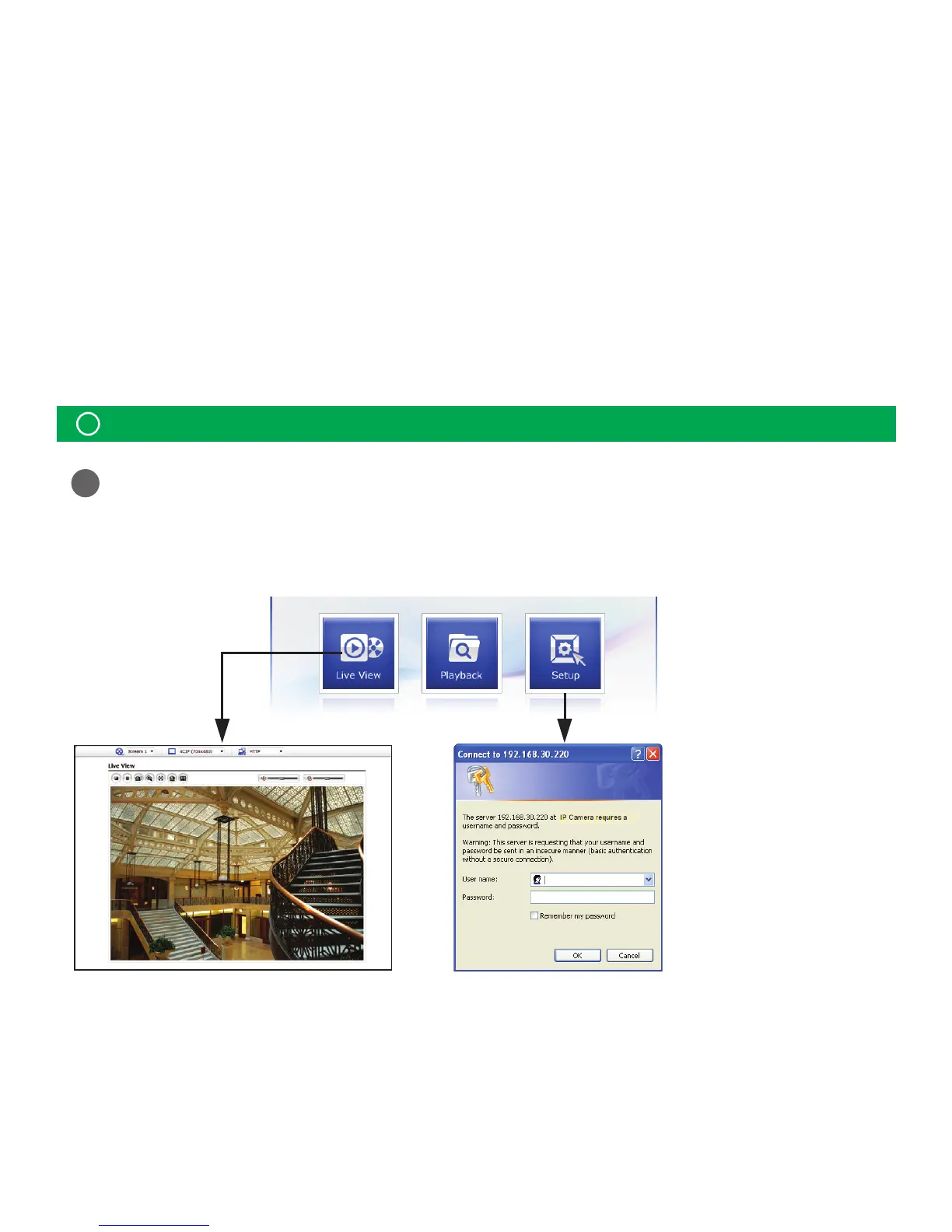
2. Enter the IP address or host name of the network camera in the Location/Address eld of your browser.
3. You can see a starting page. Click Live View or Playback or Setup to enter web page.
How to Access from a browser
The network camera can be used with Windows® operating system and browsers.
The recommended browsers are Internet Explorer®, Safari®, Firefox®, Opera™ and Google®
Chrome® with Windows.
The network camera can be
used with Windows® operating
system and browsers.
The recommended browsers
are Internet Explorer®, Safari®,
Firefox®, Opera™ and Google®
Chrome® with Windows.
Note:
!
To view streaming video in Microsoft Internet Explorer, set your browser to allow ActiveX controls.



 To Next Page