11
DHCP
:
choose to enable to obtain IP address automatically. "☑" means anabled ,"□" means
disabled
ESee ID
:
after connecting internet , click“☑ Esee” to gain a Eseenet ID , which can be used in IP
remote monitoring in ESeenet network server
IP address
:
the IP address must be unique and cannot be in conflict with the host or workstation on
the same network segment
Subnet Mask
:
subnet for the network segment.
Gateway
:
need to set the gateway address to achieve communication between the different
network segments.
MAC address
:
showing the device's MAC address
Web port
:
port number IE browser visit, default port is "80"
Preferred DNS
:
DNS IP address
PPPOE
Start using
:
“☑ PPPOE”means to start up PPPOE dial-up. “□” means not to start up
Username
:
input the user name of ISP into edit box
Password
:
input the password of ISP into edit box
After the page setup is completed, click '"Ok " to save the changes; click "cancel ", non-save.
DDNS setting: automatic analytical function of dynamic domain name, supported Comelit DNS,
etc. To use Comelit DNS see the last page of this manual.
In the "network setup" menu, click " DDNS "
Start using
:
“☑”means DDNS dynamic domain services start using ;“□”means not to start up。
Select the right network server and input user name, password and domain
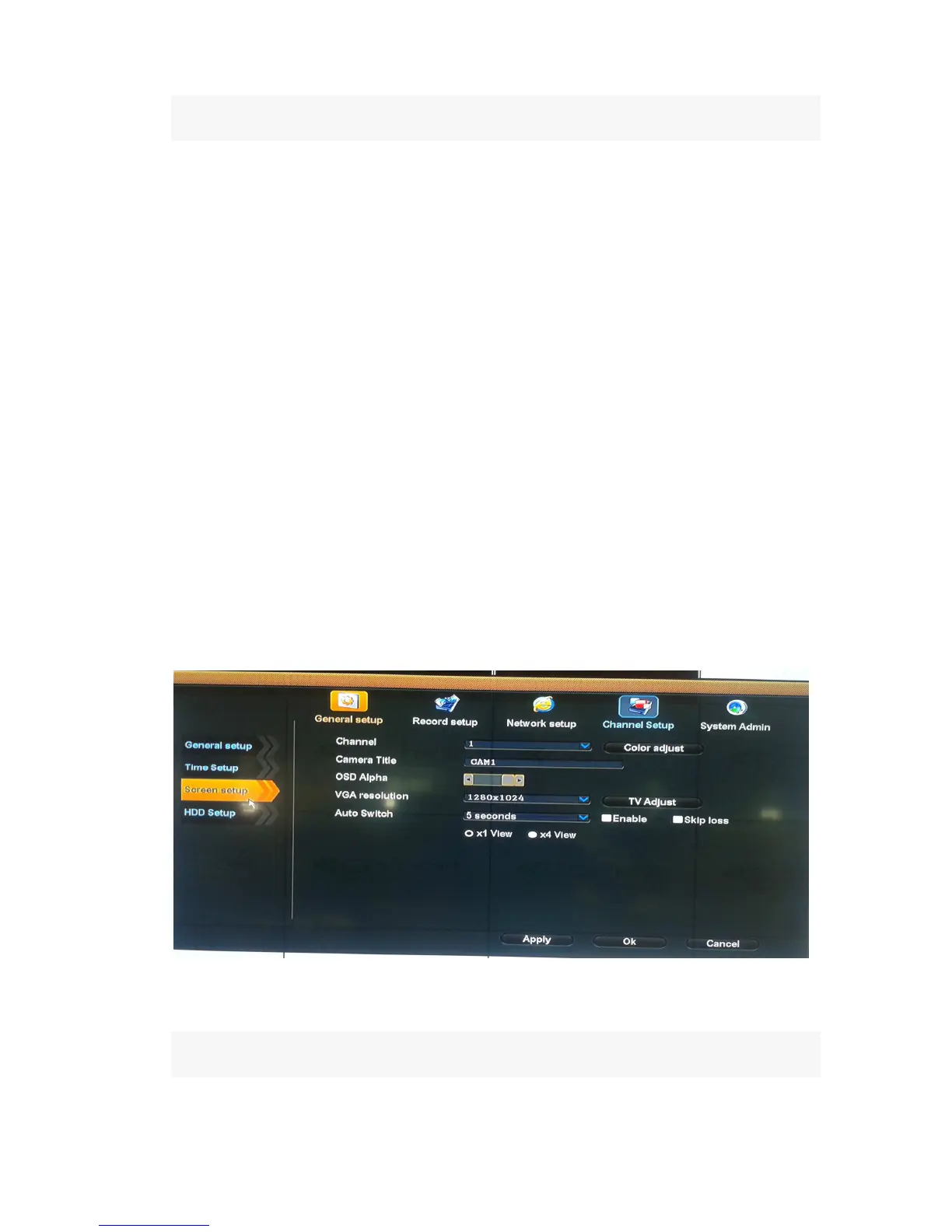
Screen Setup
Select “screen setup”
Channel
:
chose the right CH as needed by clicking select box.
Color adjust
:
adjust the image brightness, hue, saturation, contrast
Camera title
:
edit any channel title as needed
OSD Alpha
:
OSD menu transparency can be adjusted as needed.
VGA Resolution:
three choice (800x600, 1024x768, 1280x1024)



 To Next Page