Start engraving 2
Start engraving and control
5
10
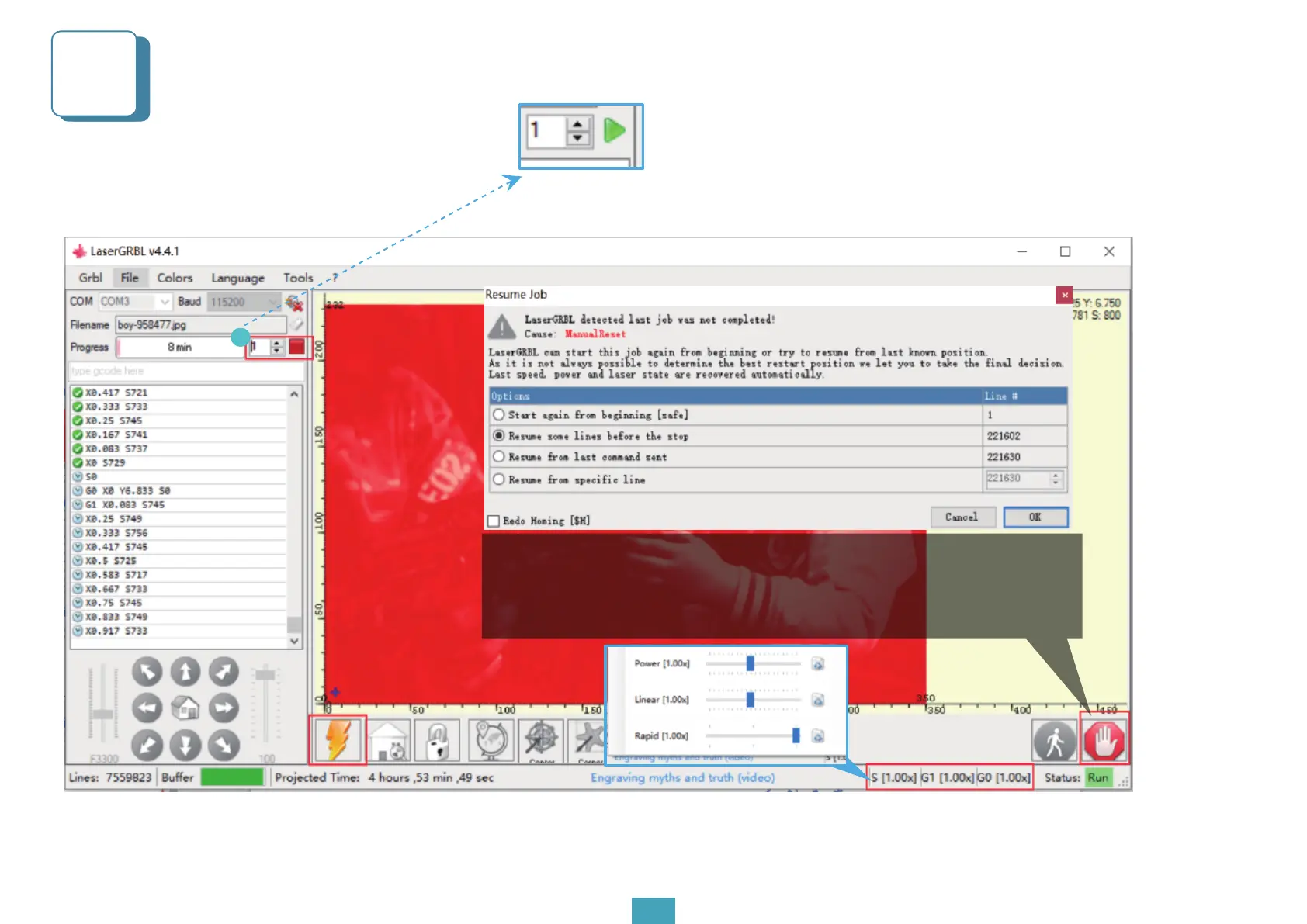
3. The laser energy adjustment, line width adjustment and speed adjustment during the engraving process
are shown in the picture
1
1. Click to start engraving, please ill in the box with the number of
repeat engravings
2. Emergency stop: Priority recommended to use the reset button. If you
wanna continue engraving, please click the reset button, unlock button and
then the start button to start again. Or you can also choose to start from the
stop position (When it stops during carving, it is better not to change the
position of the carving machine )


 To Next Page