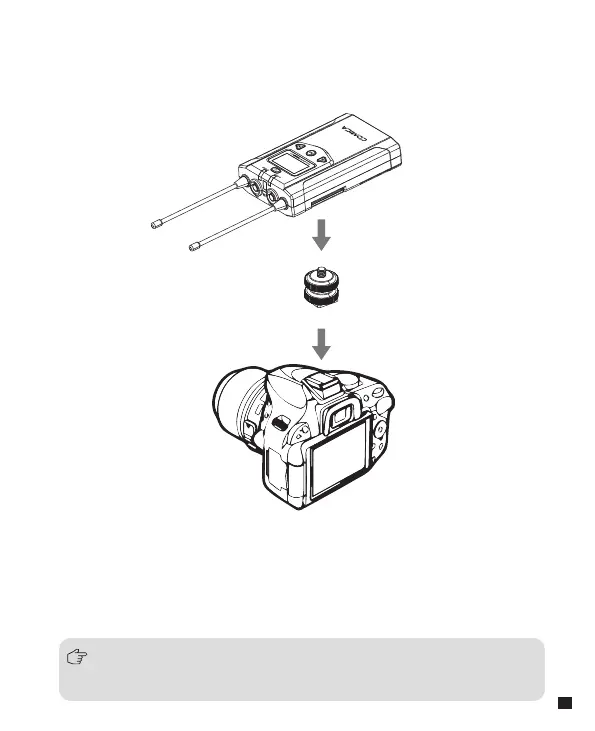
4.1 Connect receiver to your video equipment through the camera
mount
4. Receiver Installation
4.2 Connect the receiver to the camera or camcorder through the
3.5mm-3.5mm audio output cable, plug the headphone into the
3.5mm monitoring interface for real-time monitoring, then long press
the power button to turn on the receiver
Most DSLR cameras has 3. 5mm port, if you use the XLR camcorder,
you need to use the 3. 5mm-XLR audio output cable.
15














 To Next Page