H
A
Low Cut Filter
A
OFF
H
A
Low Cut Filter
A
OFF
H
A
Low Cut Filter
A
Low
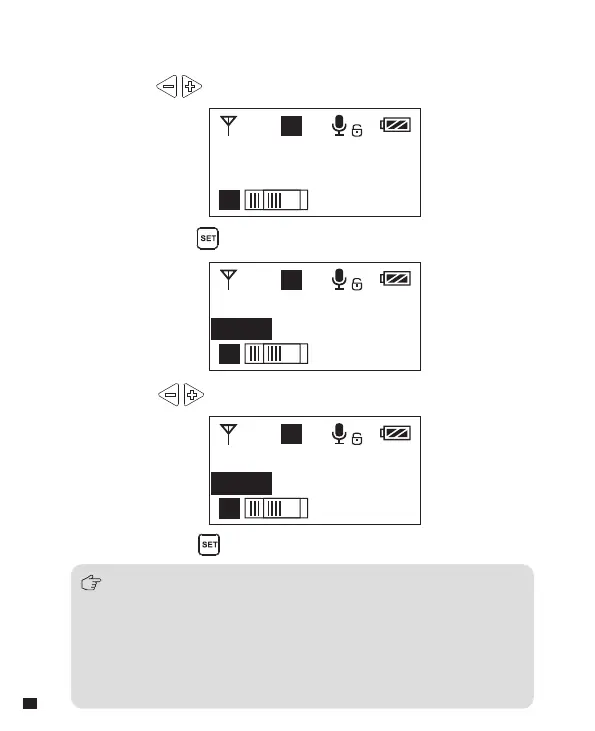
3.4 Short press button to confirm
3.2 Long press button to enter ‘ Low Cut Filter ’ setting page
3.3 Press button to select LCF ‘
Low/High/OFF ’
3.1 Press button to ‘ Low Cut Filter ’ display page
3.
Low Cut Filter
‘ Low/High/OFF ’ Adjustment
Low-cut function will filter out the low-frequency part of the audio source,
such as the chirping and crowd noise, and the main audio source will
be more crisp. Low cut be divided into low cut in low range and low cut
in high range, low range is to filter out part of the noise, while high range
of low cut filter out all noise. Turn off the low cut to restore the true, the
main source will be more vigorous, but it can be adjusted according
to actual needs.
20














 To Next Page