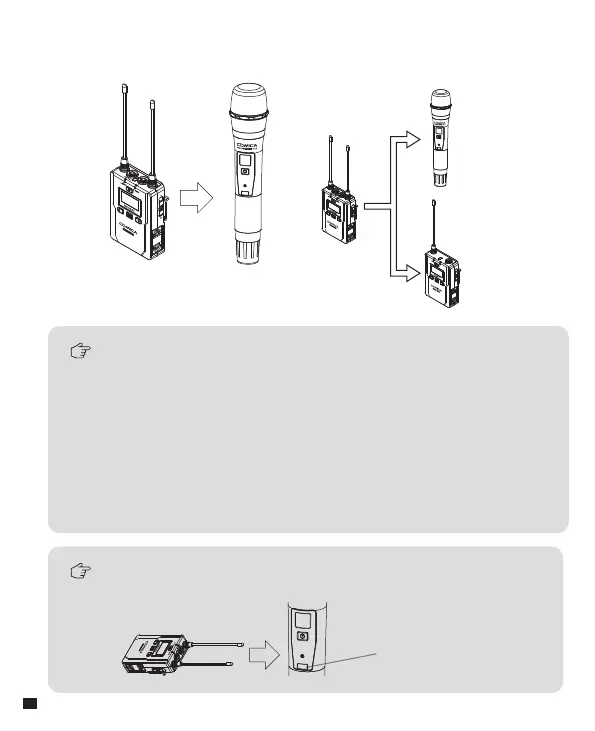
During matching, don't shield the infrared receiving screen of
the transmitter
IR Screen
The hand-held transmitter defaults to channel B, and you
can set the group and channel through the receiver (For
example, If Group A of the receiver is used for the matching,
after matched, it will be: Group A CHXX; If Group B of the
receiver is used for the matching, after matched, it will be:
Group B CHXX)
When the hand-held transmitter and the lavalier transmitter
are used together, you should set them to different group
B
Channel
A
Channel
2. Pair Through Infrared Sync
2.1 Set the channel through infrared sync
28














 To Next Page