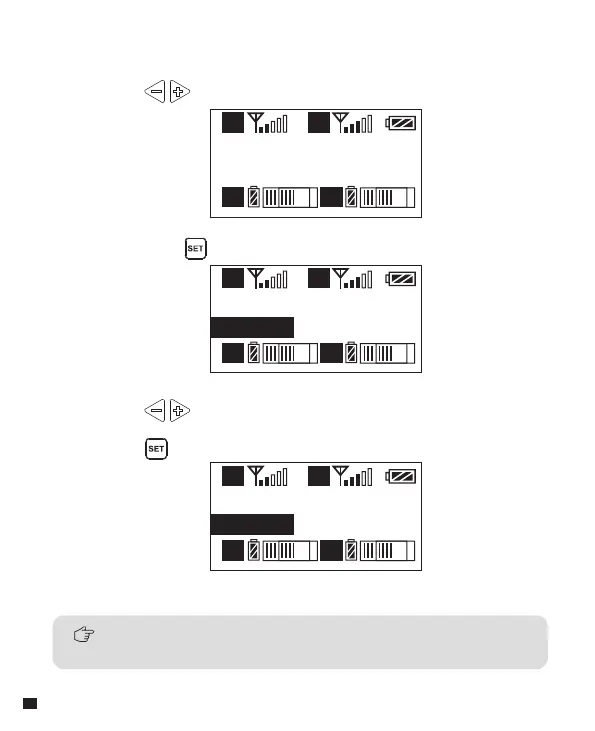
Output Mode
Stereo
A
A B
B
Output Mode
Stereo
A
A B
B
Output Mode
Mono
A
A B
B
2.2 Long press button to ‘ Output Mode ’ setting page
2.3 Press button to select Mono/ Stereo Output Mode, Short
press button to confirm
2.Audio Output Mode ‘Stereo/Mono’ Adjustment
2.1 Press button to ‘ Output Mode ’ display page
When there is one group working (Group A or Group B), the output of
receiver is only MONO mode.
32














 To Next Page