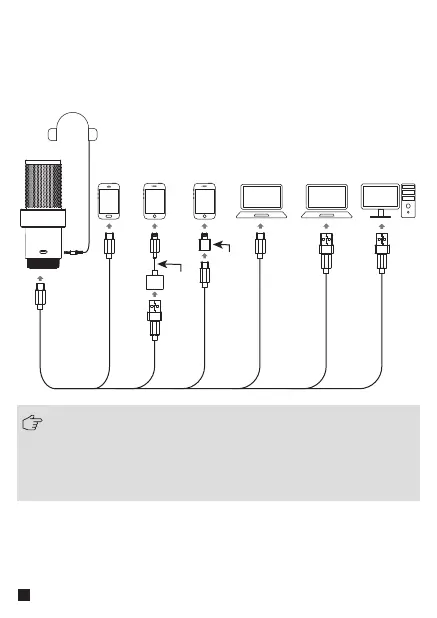
Wired mode
Connected the mic with smartphone/computer through USB C-USB C
charging/output cable and related audio adapter cable/adapter; Choose
whether to monitor according to your needs
1.Please purchase USB-Lightning adapter cables/adapters support OTG
function by yourself when connected with lightning port devices
2.The microphone will automatically switch on when connected with a
device,and it will automatically turn o after 10 minutes if disconnected
from a device
Adapter
Cable
Adapter
10


 To Next Page