Need help?
Do you have a question about the Comica Traxshot and is the answer not in the manual?
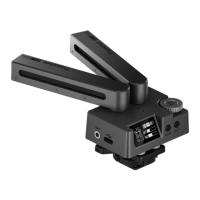
Details how to use the power button and the low-cut filter switch.
Explains how to use the mode switch button to change pickup patterns.
Describes how to adjust the audio gain level using the dial.
Covers charging the battery and upgrading the device's system firmware.
Explains the function of the audio output port for connecting to other devices.
Describes the port for connecting headphones for audio monitoring.
Details the steps to reset the Traxshot using a pin.
Guides on how to mount and connect the Traxshot to a camera.
Guides on how to mount and connect the Traxshot to a mobile phone or rig.
Guides on how to mount and connect the Traxshot to a computer.
 General
| Brand | Comica |
|---|---|
| Model | Traxshot |
| Category | Microphone |
| Language | English |

 To Next Page