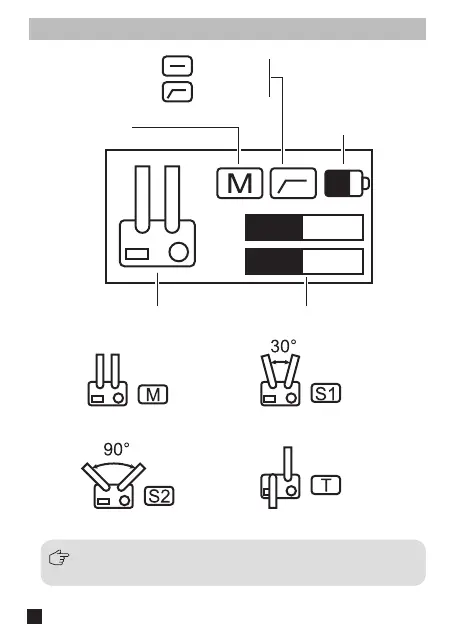
Screen Display Instruction
When worked with smartphones and laptops in stereo mode,
the stereo is automatically merged into mono
M1
M2
Audio Dynamic Bar
Pickup Mode
Mono Mode 30° Stereo Mode
90° Stereo Mode Bi-directional Mode
The Symbol of Sound Pickup Mode
Low cut: o
Low cut: on
Battery Level
of Traxshot
6


 To Next Page