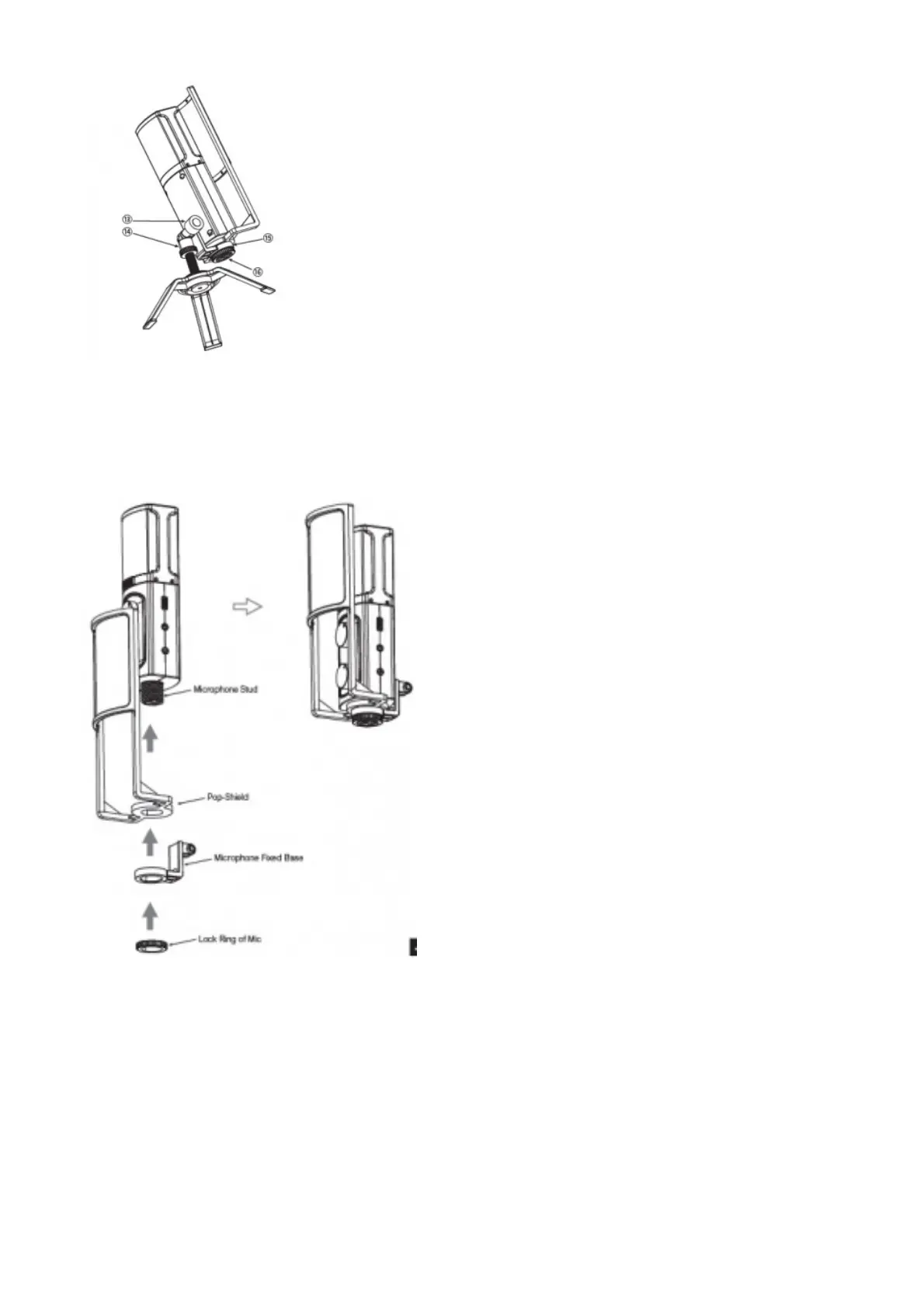
12. Lock Ring on Tripod Table Stand
13. Lock Knob
14. 3/8 Ring Mount
15. Microphone Fixed Base
16. USB-C Output Interface
Product Installation and Use
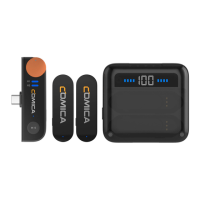
1. Install the Pop-Shield and 3/8 Ring Mount on the microphone stud in turn, and tighten it with the Lock Ring of Mic
2. Install the 3/8 Adjustable Lock Ring and 3/8 Ring Mount on the Tripod Table Stand stud, then adjust the 3/8 Adjustable Lock Ring to
tighten it



 To Next Page