User Manual COMM-TEC UP-1080p
COMM-TEC GMBH www.comm-tec.de 5 of 21
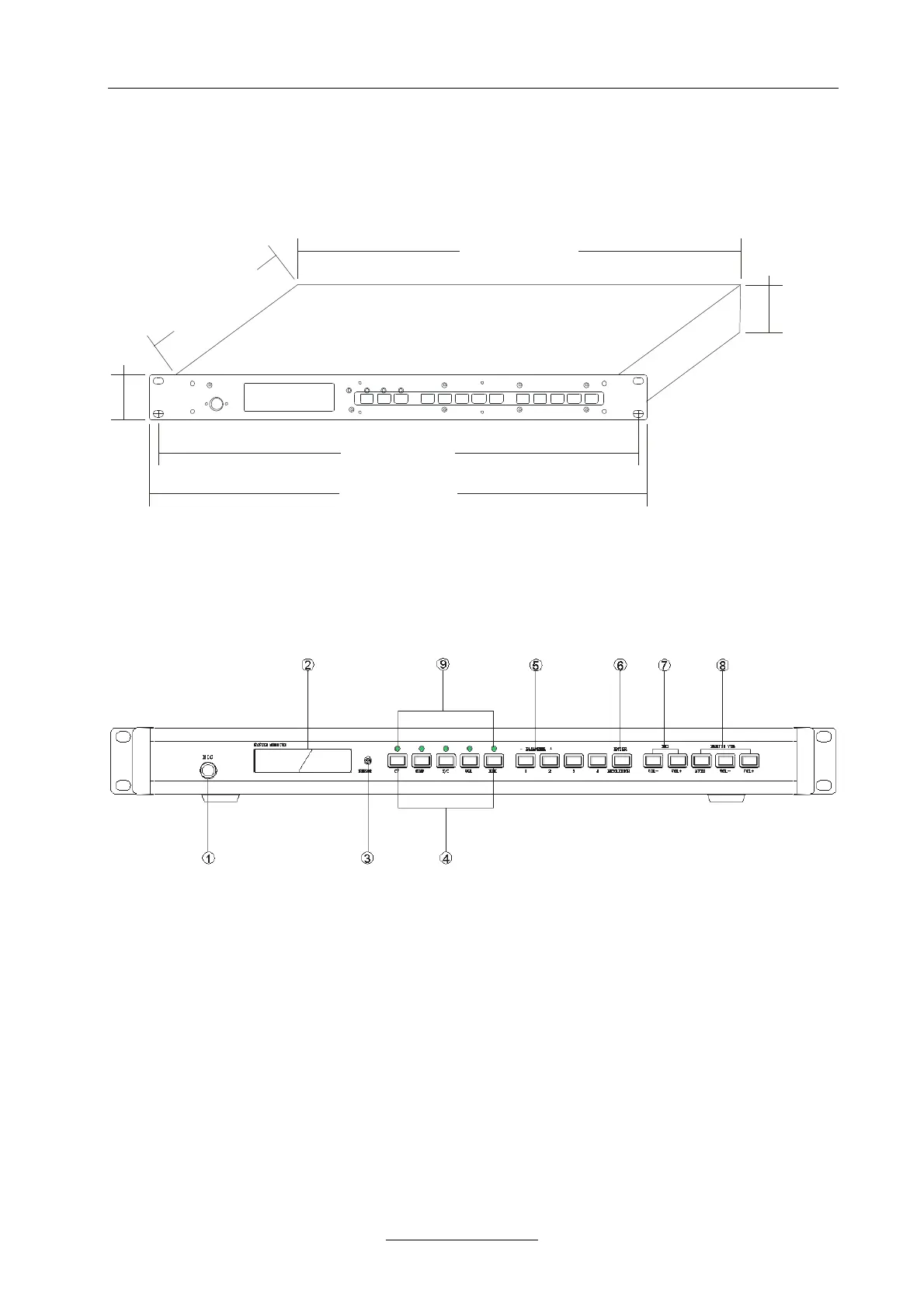
2 Dimensions
42.00 mm
43.60 mm
230.00 mm
430.50 mm
482.60 mm
465.90mm
3 Functions
3.1 UP-1080p Front Panel
j Input MIC
k LCD display
l IR Sensor
m Signal Source Selection Button
Used to selection the signal source input type, works together with n
• CV Signal Switch button, used to select CV signal input. Long-press for 1 second to enter the
adjusting mode of brightness, contrast, saturation, sharpness and color. For the detailed
operation, please refer to Chapter 6 “CV Settings”
• COMP Signal switch button, used to select VOMP signal input. Long-press for 1 second to enter
the adjusting mode of brightness, contrast, saturation, sharpness and color. For the detailed
operation, please refer to Chapter 7 “COMP Settings”



 To Next Page