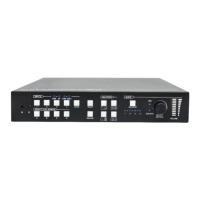
User Manual COMM-TEC UP-1080p
COMM-TEC GMBH www.comm-tec.de 13 of 21
6 CV Settings
• Press the CV button longer than one second to enter the picture adjustment menu
• With a short button press you can toggle between
brightness - contrast - saturation - sharpness - hue - restore CVBS default values
• change the value with the parameter + or – button
• press the Enter button to save the changes to the system
7 COMP Settings
• Press the COMP button longer than one second to enter the picture adjustment menu
• With a short button press you can toggle between
brightness - contrast - saturation - sharpness - hue - restore COMP default values
• change the value with the parameter + or – button
• press the Enter button to save the changes to the system
8 Y/C Settings
• Press the Y/C button longer than one second to enter the picture adjustment menu
• With a short button press you can toggle between
brightness - contrast - saturation - sharpness - hue - restore Y/C default values
• change the value with the parameter + or – button
• press the Enter button to save the changes to the system
9 VGA Settings
• Press the VGA button longer than one second to enter the picture adjustment menu
• With a short button press you can toggle between
brightness - contrast - restore VGA default values
• change the value with the parameter + or – button
• press the Enter button to save the changes to the system
10 HDMI Settings
• Press the HDMI button longer than one second to enter the picture adjustment menu
• With a short button press you can toggle between
brightness - contrast - saturation - sharpness - hue - restore HDMI default values
• change the value with the parameter + or – button
• press the Enter button to save the changes to the system


 To Next Page