#20379_L
US customer support 1-888-622-2377 | www.commandaccess.com | CA customer support 1-855-823-3002
6
installation instructions
12
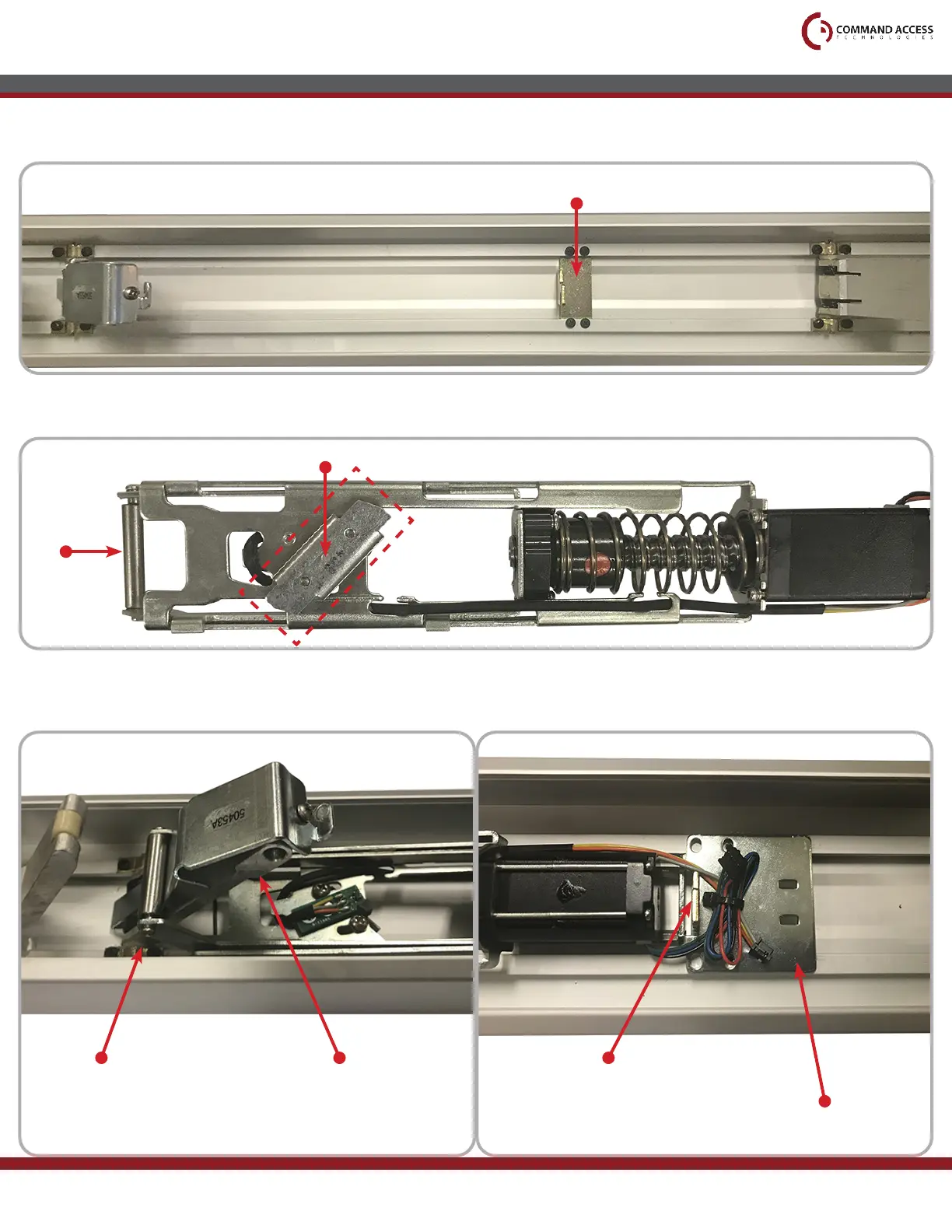
Flip MLRK1 over and angle the Scissor Bracket to match the position shown below.
13
To install the MLRK1, slide the Rolling Guide over the Front Activating Bracket. Then place the
Rear Mounting Bracket over the Bottom Dogging Bracket as shown below.
Scissor Bracket
11
Remove the four screws from the Bottom Dogging Bracket, keep the Bracket in place.
Bottom Dogging Bracket
Front Activating BracketRoller Guide
Rolling Guide
Rear Mounting Bracket
Bottom Dogging Bracket



 To Next Page