C.
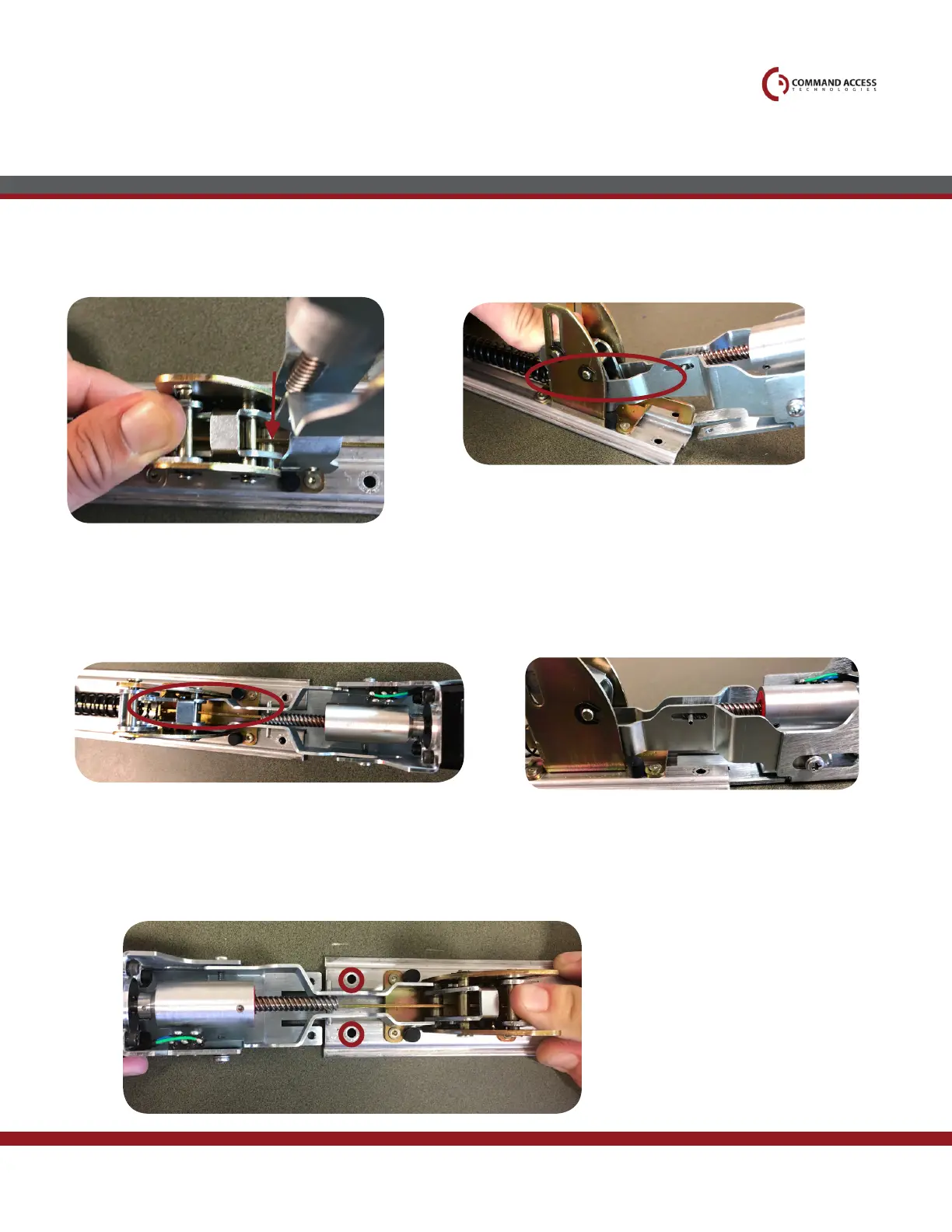
Continue bringing the motor down until it’s to
the back of the baserail.
Once the kit lines up with the screw holes, install the (2) Phillips
screws provided using a magnetic tip screw driver.
11.
Slide motor bracket underneath baserail into the
exsisting groves. If neccessary, pull motor back to clear
the back of the baserail
12.
13.
Grabbing the motor kit with the attaching hooks facing down move it towards the PIN at 90°. Grab onto the bottom
pin and begin to bring the back of the motor down.
5.
US customer support 1-888-622-2377 | www.commandaccess.com | CA customer support 1-855-823-3002
Installation Instructions



 To Next Page