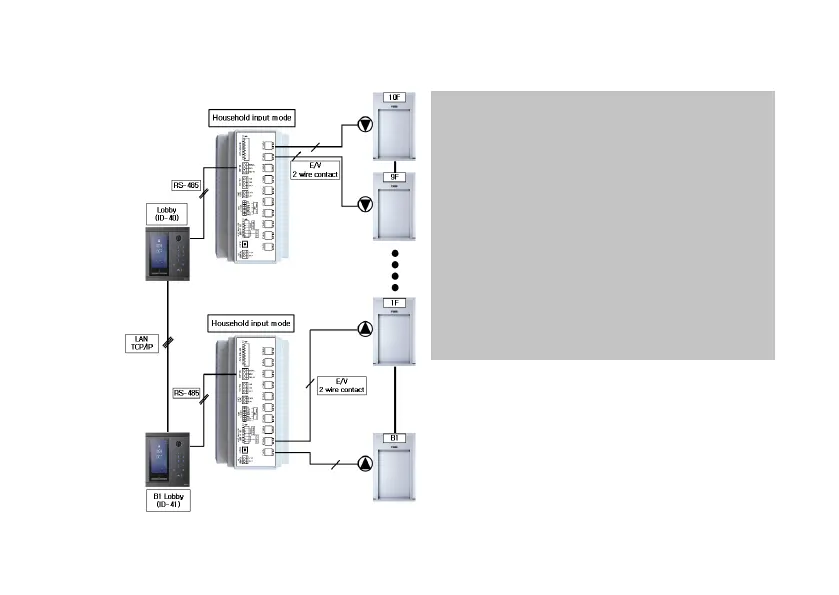
*After setting to the household input mode, enter the
household number / lobby ID using a PC, and use
it after setting.
*5-1. Set to household input mode as the household
input mode setting method.
31
9-3. Wiring method (Home Network System interlocking)
*7. household, such as how to set up a household
using a PC and lobby information.
*Connect the contact port 2 of the registered lobby
or household to the call button of the elevator on
the corresponding floor of the lobby or household.
*Connect three lines of RS-485 to the RS-485 line of
the Home Network System.
*
Refer to the manual of home network system lobby
phone or monitor for the detailed setting method.



 To Next Page