11
11. To alert a delivery package (parcel)
※※
This is function if the household units have “Parcel display” mode
available.
To alert a delivery package from station to household unit
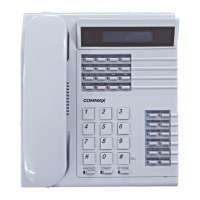
1) Press “Speakerphone” button.
2) Enter the building number + “*” key + household unit number.
3) Press “Parcel” button.
(display “Delivery” message on the LCD of household or the power lamp
is blinking.)
4) Press “Speakerphone” button to finish the transaction.
When household get a parcel without a call to station
※※
If you do not check an parcel alarm of a household unit, it might be
remained an alarm on unit’s LCD.
In this situation, clear it from station.
1) Press “Speakerphone” button.
2) Press “Parcel” button.
3) Enter the building number + “*” key + household unit number.
4) Press “Parcel” button
(Clear an alarm in household unit)
5) Press “Speakerphone” button to finish the transaction.
12.To check the communication status of a household
To check the communication line status of a single household unit
after installation
1) Press “Remote” button (“Rmot > - “ is displayed on the LCD).
2) Enter the building number + “*”key and enter the household unit number
and then press “#” key.
3) The status is displayed on the LCD.
To check the communication line status of a whole building
※※
Remarks
This function is used to check the line status of all household units in a
building.
If sub units are installed in a single household unit, this function checks
only the master device.
1) Press “Remote” button.


 To Next Page