16
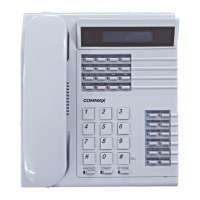
15. Built-in Program (Security Station)
1) Press “Confirm” button.
(“Password – “ is displayed on the LCD)
2) Enter “9999”and press “Input” button.
(“Program – “ is displayed on the LCD)
3) Use (◀ or ▶) buttons to select Program (Ref. [Chart 1])
4) Enter data and press “Input” button.
5) Press “Speakerphone” button to complete.
※※
Remarks
Program 00 is used for an initial setting of security station and shall not
be amended.
If changed with wrong data, the connection can be lost.
[Chart 1] Program number and content
Program Number Content Data selection
Pr [00] Device ID set up : From 0001 to 9000
Set up Security Stations ID
Pr [01] Sub Building number set up : Building number
Preset the building number →
input a household unit number
to make a call without entering
the building number
Pr [02] Call forwarding security station Building number + unit number
number set up
Pr [03] Name information data upload Receiving mode
from a lobby phone
Pr [04] Name information data Sending mode
download to a lobby phone
Pr [05] Household unit information data Receiving mode
upload from a Floor dist.
Pr [06] Household unit information data Sending mode
download to a Floor dist.
Pr [07] Speed dial 1 Building number + unit number
Pr [08] Speed dial 2 Building number + unit number
Pr [09]
Speed dial 3 Building number + unit number
Pr [10] Speed dial 4 Building number + unit number


 To Next Page