9
- If you want to stop storage, you should touch the icon.
ྟ Image storage: To store (save) a still-cut image.
- When you touch a button, you can store images. And the below icon will be
shown during storage.
* Reference (Door camera and CCTV are same in the below issues.)
ྙ Video-clip cannot be stored while SD card is not inserted.
- In this case, images can be stored in the monitor’s embedded memory.
(Max 50 still-cut images).
- You can use as below when you need back-up of images which are stored in the
monitor’s embedded memory.
1) Turn off the monitor and then insert SD card. Turn on the monitor. And then the
images are automatically stored in SD card.
2) You can check the file through your computer. ([backup folder] in SD card)
3) You can check the date, storage time and information
(camera source, saving format, emergency storage).
- File name: YYYYMMDD_HHMMSS_AB.AVI or JPG
Note : The meaning of the last two digits (denoted by AB)
A : 1 - DOOR1 / 2 - DOOR2 / 3 - CCTV1 / 4 - CCTV2
B : 1 – MANUAL(manual recording)/2 – AUTO/3 - MOTION/4 - ALARM
XXXX : File numbering
ex : The meaning of the file ’20180109_045740_120001.MOV’
-> Video automatically recorded by visitors calling from door1 on January 9, 2018 at 4:57:40
ྚ The image and video-clip can be stored while SD card is inserted. The maximum storage size
depends on the capacity (storage size) of SD card.
4-4 Interphone
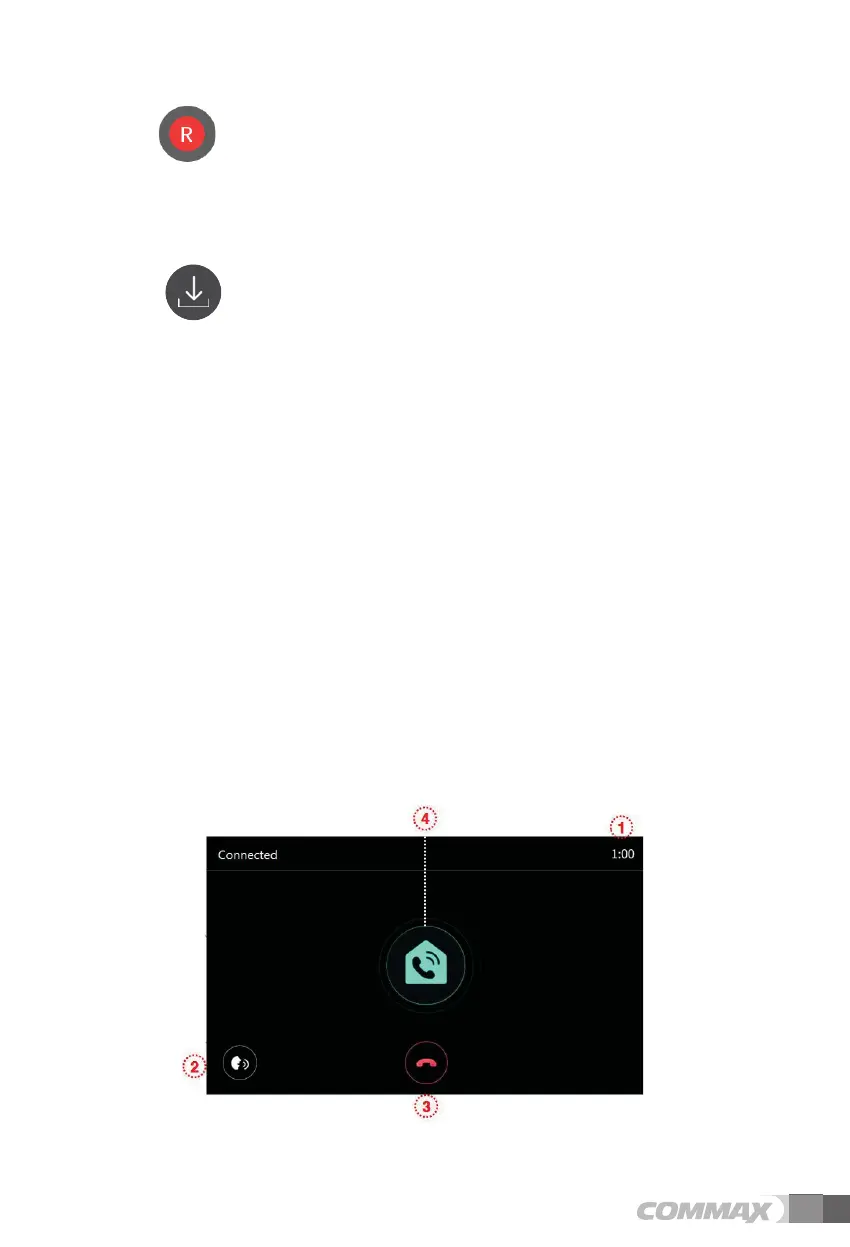
- When you touch the Interphone button, it calls the connected interphone and the
following screen is displayed.
ྙ Call & Talk time : To show remaining call and talk time.



 To Next Page