16
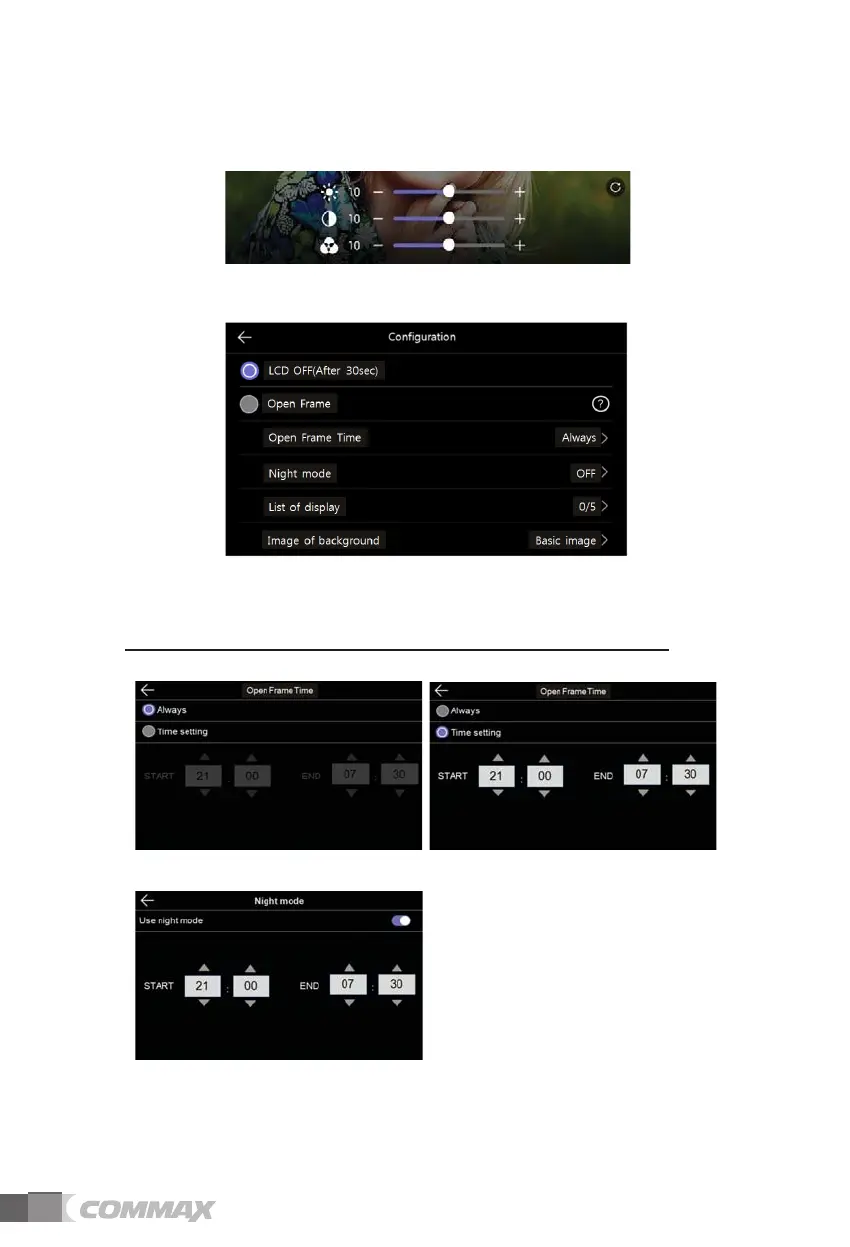
(In this case, you can adjust the display of door camera.)
- The range for adjustment is 0-20 level. There is a button located on the right upper
for initialization.
2) Enter standby mode
- Various standby modes can be set.
LCD OFF(After 30sec) : To set screen off function when entering standby mode
(Activated in 30 seconds after setting)
Open Frame : Enable the Openframe mode while entering standby mode
* Caution : If motion detection function is activated, this function does not work.
- Open Frame Time : You can set the usage time of the wallpaper frame function.
- Night mode : The brightness of the screen is minimized during the set time.
- List of display :
Set which screen to be displayed when the wallpaper frame function is applied.



 To Next Page