21
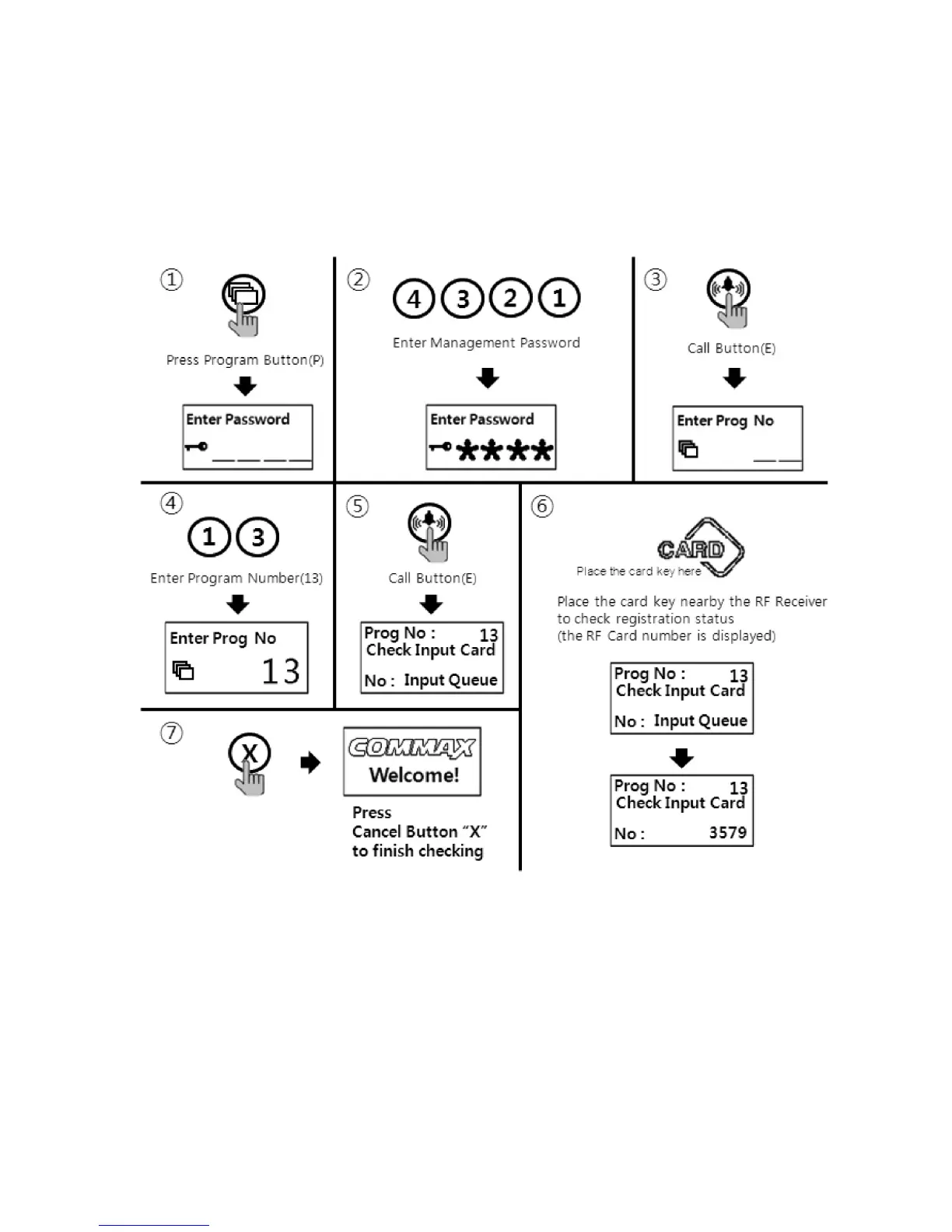
10-4. RF card key registration check way
•
P - Management Password - E - 13 - E - Delete cards - X(Cancel)
①
Press Program Button "P".
②
Press Management Password
③
Press Call Button "E".
④
Press number "13" (Program Number).
⑤
Press Call Button "E".
⑥
Place the card key close to the RF/ID receiver
⑦
Press down X Button to finish when check is completed



 To Next Page