23
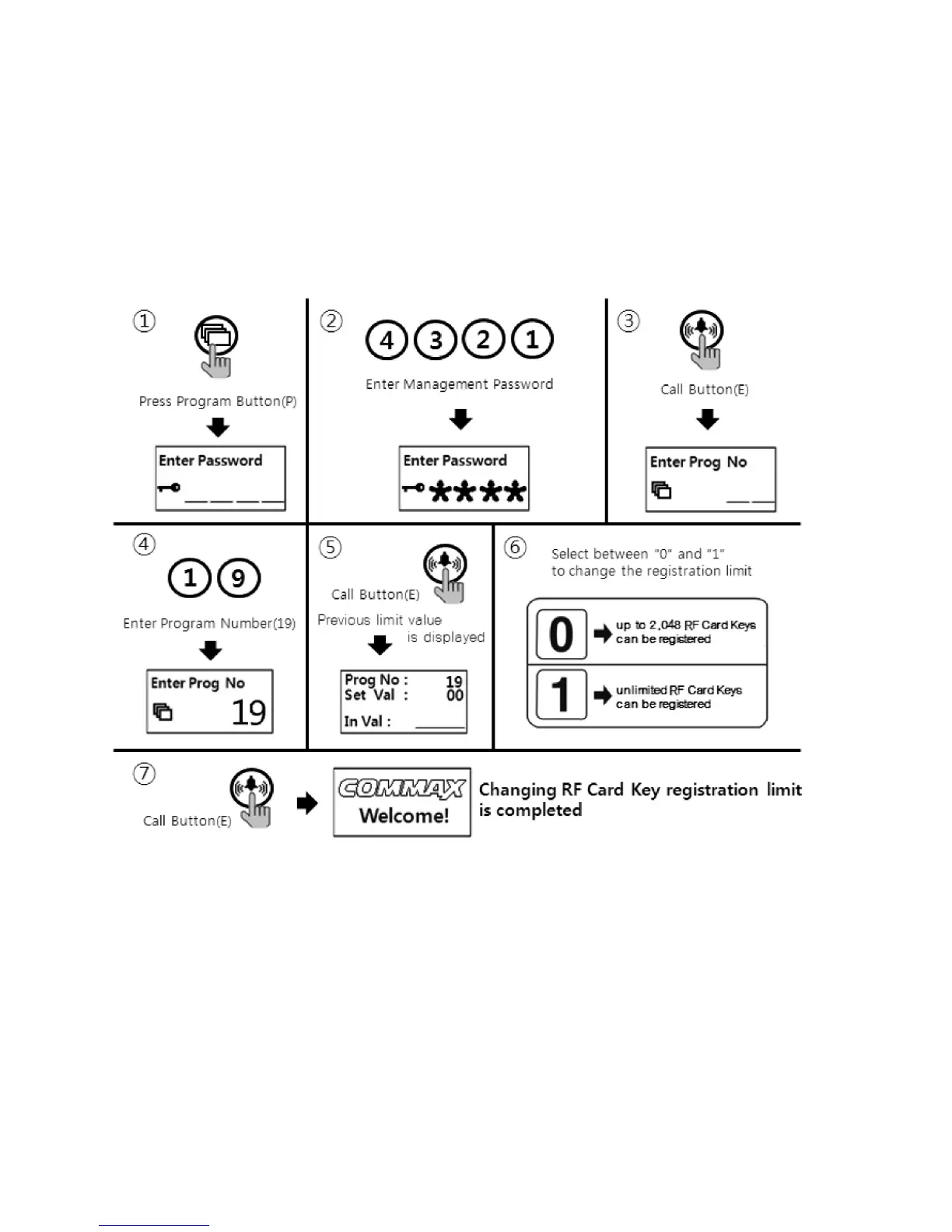
10-6. RF card key capacity change way
•
P- Management password - E - 19 - E - 0 - E : Up to 2048 RF Cards can be registered
•
P- Management password - E - 19 - E - 1 - E : Unlimited RF Cards can be registered )
①
Press down "P" Button
②
Press Management Password
③
Press down "E" Button
④
Press number "19" (Program Number).
⑤
Press Call Button "E".
⑥
Select mode between numbers "0" and "1".
(0 : Up to 2048 RF Card Keys can be registered)
(1 : Unlimited RF Card Keys can be registered)
⑦
Press Call Button "E"



 To Next Page